Coach Website Examples with Discovery Calls and Talks: 8 Layouts That Book Clients
Coach website examples with discovery call and talks: 8 layouts with screenshots for the hero, about, process, programs, talks, video and booking sections.
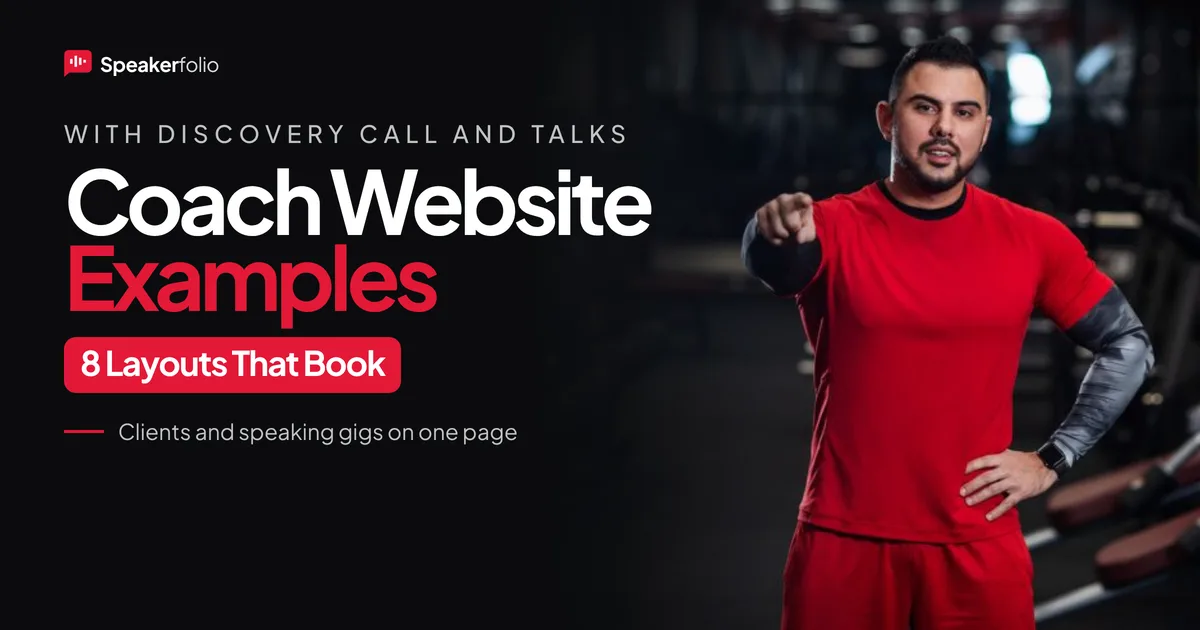
A good coach website with a discovery call and talks does two jobs on one page: it gets potential clients to book a free call, and it gives event organisers enough to book you to speak. The best coach website examples put one clear call-to-action in the hero ("Book a free clarity call"), explain the coaching process in three or four steps, list programs with a starting price, then show signature talks with formats and a separate speaking enquiry form. Below are 8 coach website examples, built from the Speakerfolio Coach and Spotlight templates, with what each section does well and how to copy it for your own site.
Key takeaways
- One page can serve both audiences. Clients and organisers want different things, but they both start by checking who you are and whether you're credible.
- Make the discovery call the main action. Repeat the same button in the hero, after your programs and at the bottom of the page.
- Give talks their own section. Titles, a one-line promise, formats and audience, so an organiser can say yes without a call.
- Proof beats polish. Named testimonials, real numbers and a short video do more than a clever design.
What a coach website with discovery calls and talks needs to do
Most coach websites are built for one visitor: the person who might become a client. Coaches who also speak have a second visitor, the event organiser, HR lead or conference planner who's checking whether to book you.
Those two people arrive with different questions:
| Visitor | What they want to know | What makes them act |
|---|---|---|
| Potential client | Can you help someone like me? What's it like to work with you? | A free discovery call that feels low-pressure |
| Event organiser | What do you speak about? Will you be good on stage? How do I book you? | Talk titles, a video, past events and an easy enquiry form |
The good news is that the first half of the page is the same for both: a clear headline, a credible bio, proof and a face people trust. The difference is in the second half, where you give each visitor their own next step.
Here's the page order that works for most coaches who speak:
- Hero with your promise and one discovery call button
- Short trust strip: logos, credentials or a rating
- About you, written for the client
- The problem your clients face
- How coaching works, in three or four steps
- Programs with a starting price
- Results and testimonials
- Talks, with formats and audiences
- Video of you coaching or speaking
- FAQ
- Final call-to-action, with a discovery call button and a speaking enquiry option
Now let's look at examples of each part.
Example 1: A hero with one discovery call button
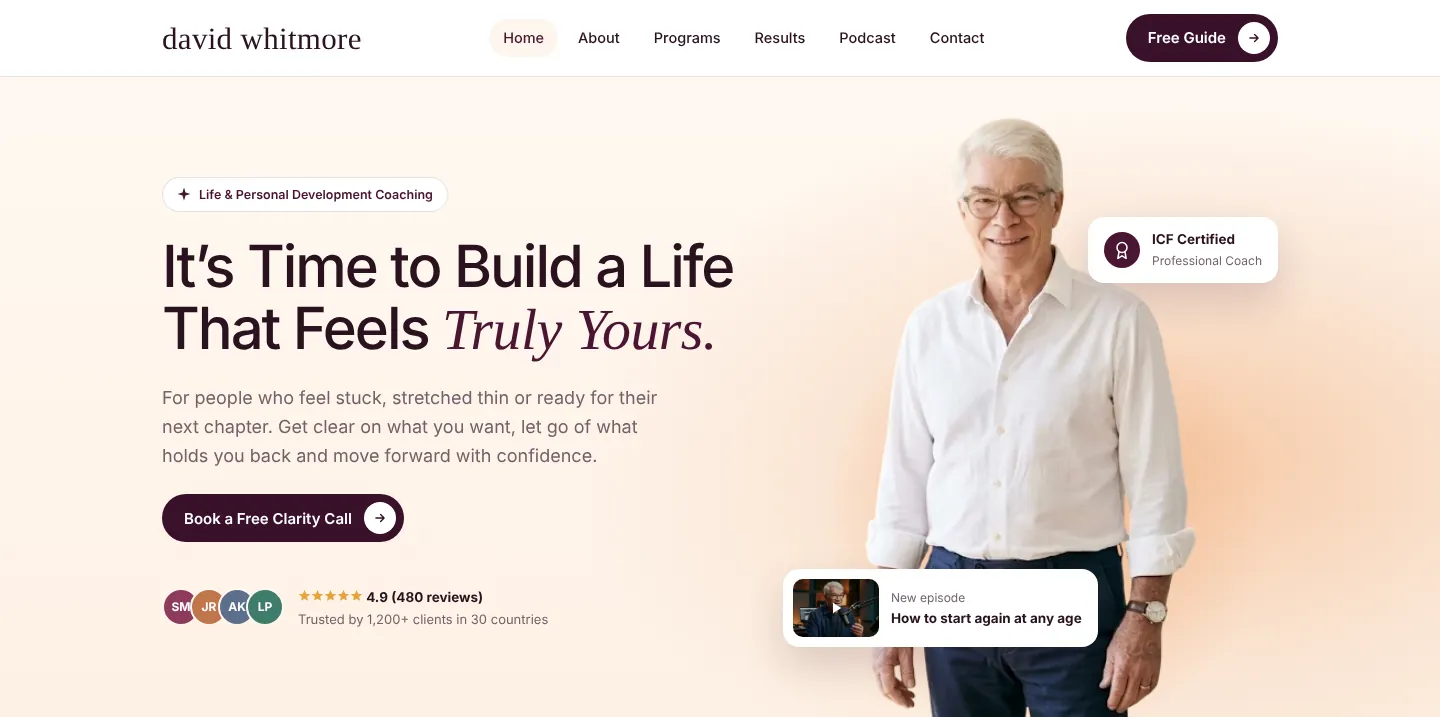
This hero, from the Speakerfolio Coach template, does four things in the first screen:
- Says who it's for. "For people who feel stuck, stretched thin or ready for their next chapter" tells visitors straight away whether they're in the right place.
- Has one main button. "Book a Free Clarity Call" is the only button in the hero. There's no competing "Learn more" or "Download".
- Shows trust beside the button. A small rating and a certification badge sit right next to the call-to-action, where the visitor is deciding.
- Hints at speaking. A small card for the latest podcast episode shows this coach also teaches publicly, without taking attention away from the call.
How to copy it: write a headline about the change your clients want, not about you. Put your discovery call button under it, and add one piece of proof within a thumb's reach: a certification, a rating or "500+ clients coached", if that's true for you.
A note on naming: "discovery call", "clarity call", "free consultation" and "chemistry call" all work. Pick one name and use it everywhere on the page, so visitors aren't wondering whether these are different things.
Example 2: An about section written for the client
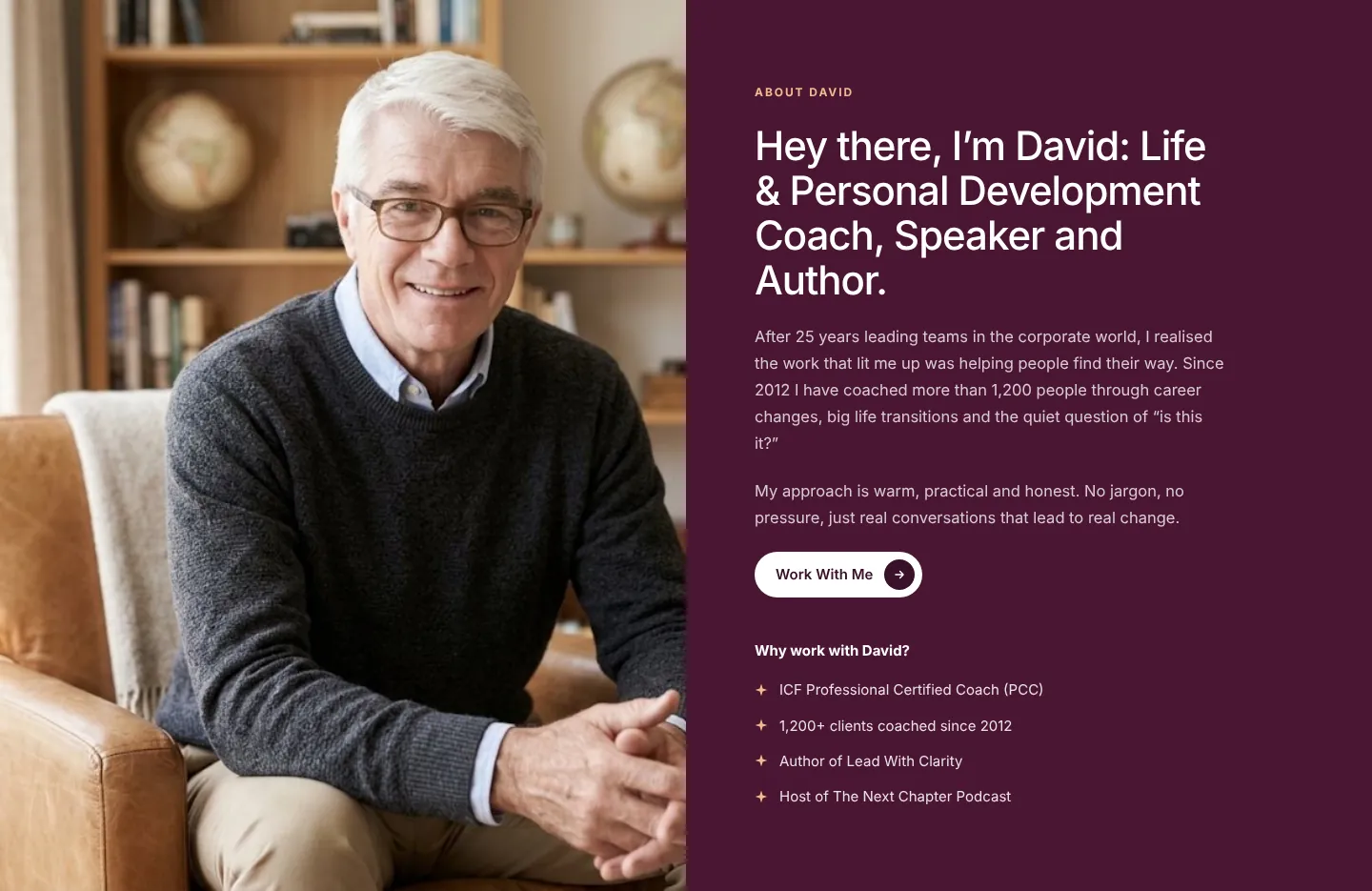
Coaching is personal, so the about section carries more weight on a coach website than on most business sites. People want to know whether they'd feel comfortable talking to you.
What this example does well:
- A warm, first-person opening. "Hey there, I'm David" sounds like a person, not a company.
- A short story with a turning point. Twenty-five years in corporate life, then the realisation that helping people was the work that mattered. One paragraph, not a life history.
- Credentials in a list, not in the story. Certification, number of clients, book and podcast sit in a "Why work with David?" box, where they're easy to scan.
- A button at the end. "Work With Me" turns interest into a next step.
The heading names all three roles: coach, speaker and author. That small detail tells an organiser who lands here that speaking is part of the offer.
How to copy it: write three short paragraphs. Who you help, why you do this work, and how you work with people. Then list four credentials a stranger would care about. If you need help, our guide to writing a coach and speaker bio has templates in three lengths.
Example 3: The problem and your approach, side by side
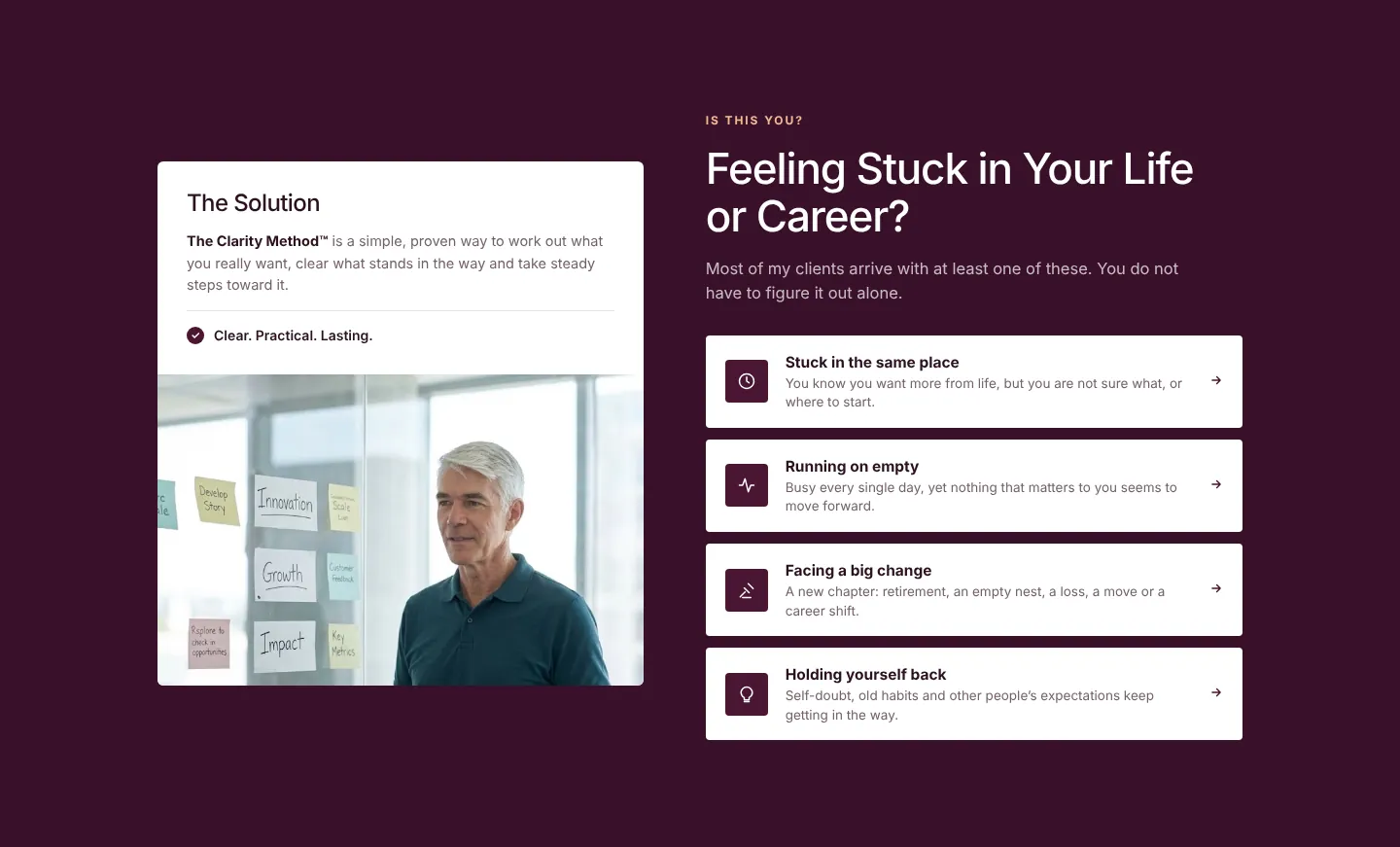
Before people book a call, they want to feel understood. This section lists four problems clients usually arrive with, each with a short line that describes how it feels, then introduces the coach's method as the answer.
Why it works:
- It uses the client's words. "Stuck in the same place" and "Running on empty" are how people describe their own situation. Nobody searches for "career transition facilitation".
- It gives the method a name. "The Clarity Method" is easy to remember and easy to repeat. Named frameworks also make great talk titles.
- It's short. Four problems, one solution box. Visitors get the point in seconds.
How to copy it: list the three or four problems you hear most on discovery calls, in your clients' language. Then describe your approach in one or two sentences. If you have a named framework, introduce it here. We show more ways to present one in our guide to putting a leadership framework on one page.
Example 4: How coaching works, in four steps
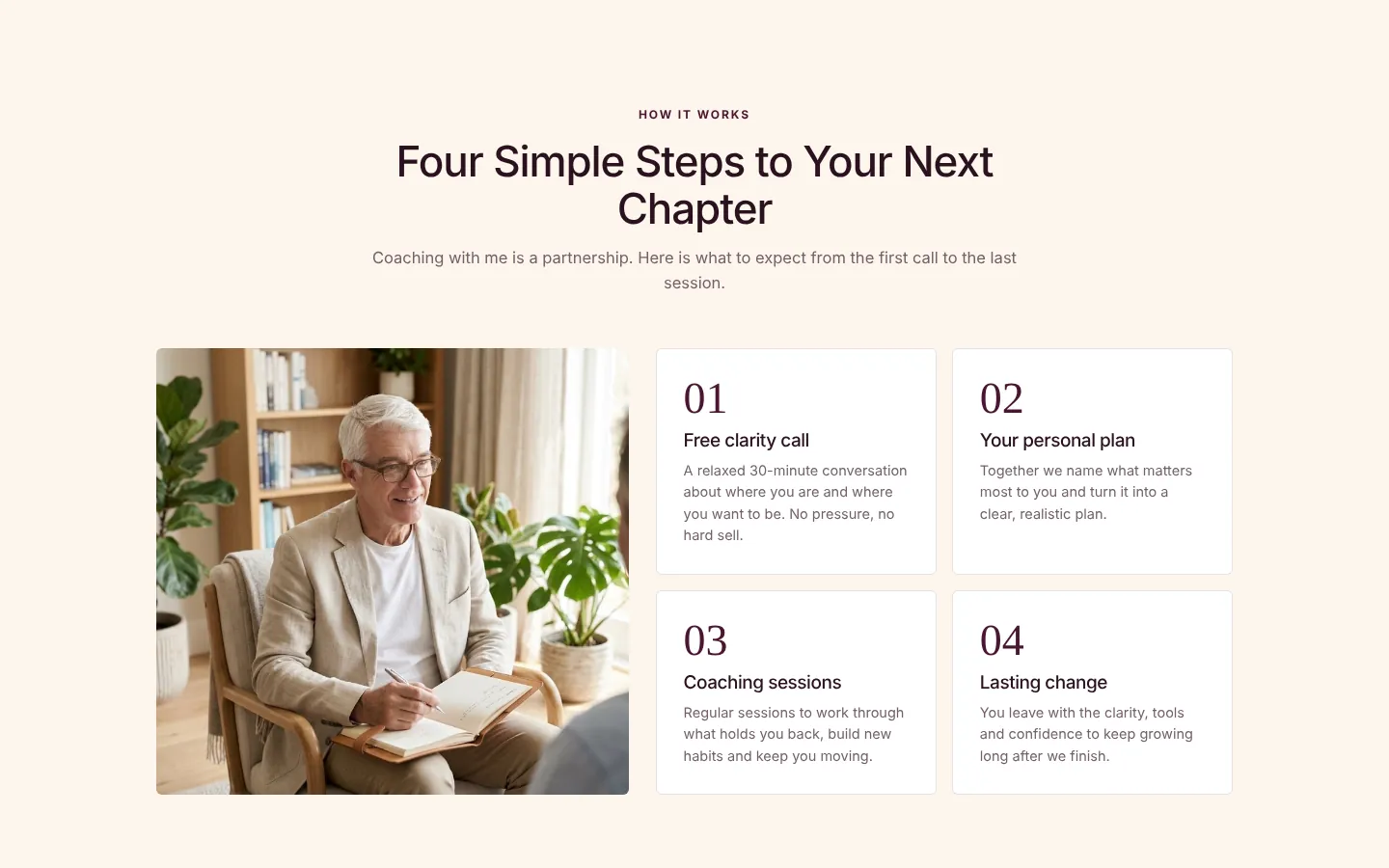
A "how it works" section takes the fear out of booking. People hesitate when they don't know what happens after they click.
This example walks through four steps:
- A free clarity call to talk about where you are and where you want to be
- Your personal plan, built around your goals
- Coaching sessions to work through what's holding you back
- Lasting change, with the tools and confidence to keep growing after the program ends
The first step is the discovery call itself. That's deliberate: it shows the call is the start of a process, not a sales pitch, and it repeats the main call-to-action without another button.
How to copy it: describe your real process in three or four steps, starting with the discovery call. Say what happens on the call, how long it is and that there's no pressure, if that's how you run it. A line like "30 minutes, on Zoom, no hard sell" answers the three questions most people have before booking.
Example 5: Programs with a starting price
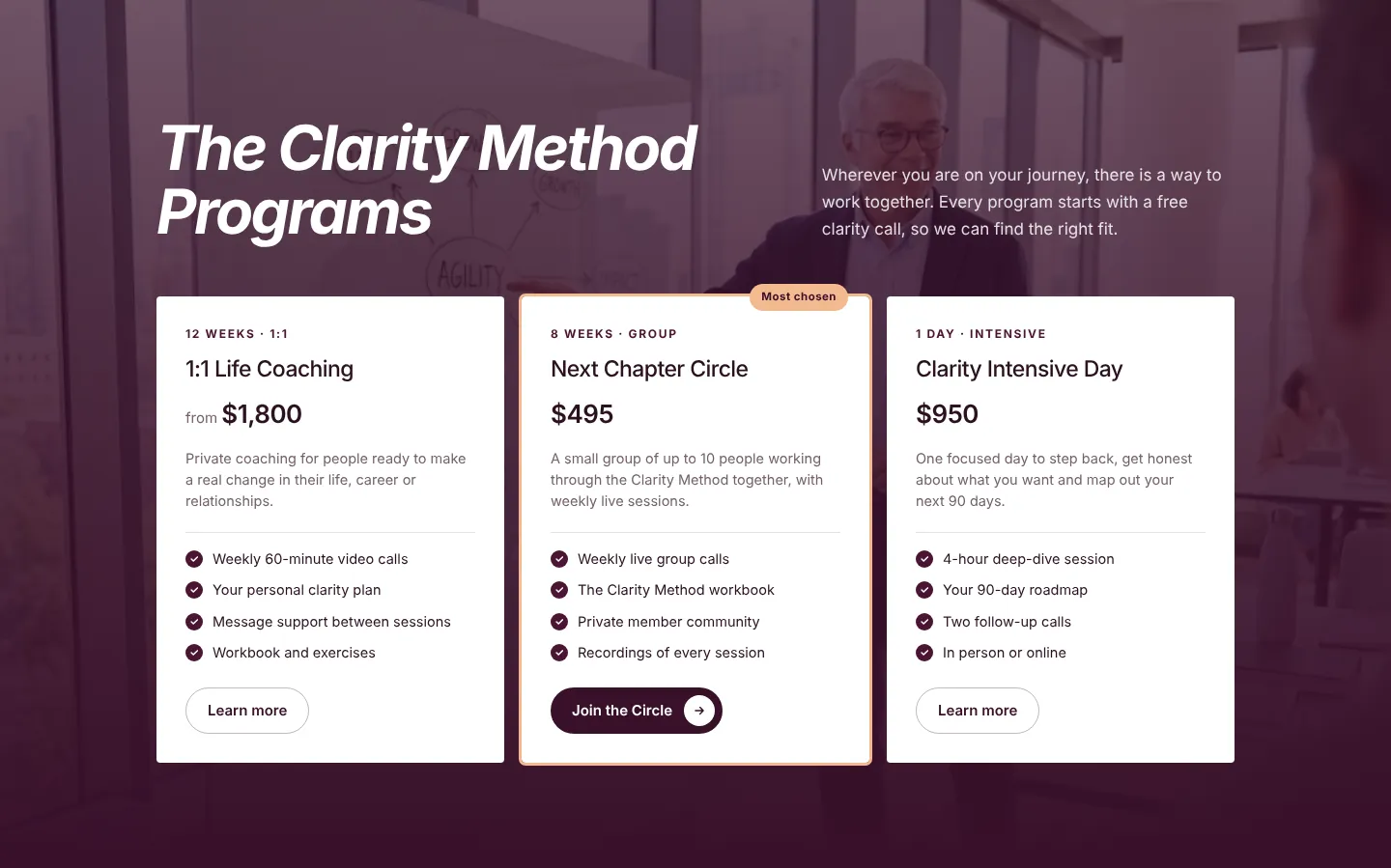
Should a coach show prices? Many don't, and there's no single right answer. But showing a starting price, even "from" a figure, does two useful things: it filters out people who can't afford you, and it makes the people who can afford you more confident about booking a call.
This example shows three programs side by side:
- A short starter option for people who want to try coaching
- A main program, marked "Most chosen", with the most detail
- A premium option for people who want more support
Each card has a format, a price, a short description, what's included and a button. The middle card stands out, which gently points most people to the main program.
Above the cards, a line says every program starts with a free clarity call. That keeps the discovery call as the next step, even for people reading prices.
How to copy it: offer two or three options at most. Name them by outcome, not by number of sessions. If you'd rather not publish prices, say "Programs start from $X" or "Pricing is shared on your discovery call", so people aren't left guessing.
Example 6: Talks with titles, formats and audiences
This is where a coach website becomes a speaker website too. Organisers need to see what you speak about before they'll contact you.
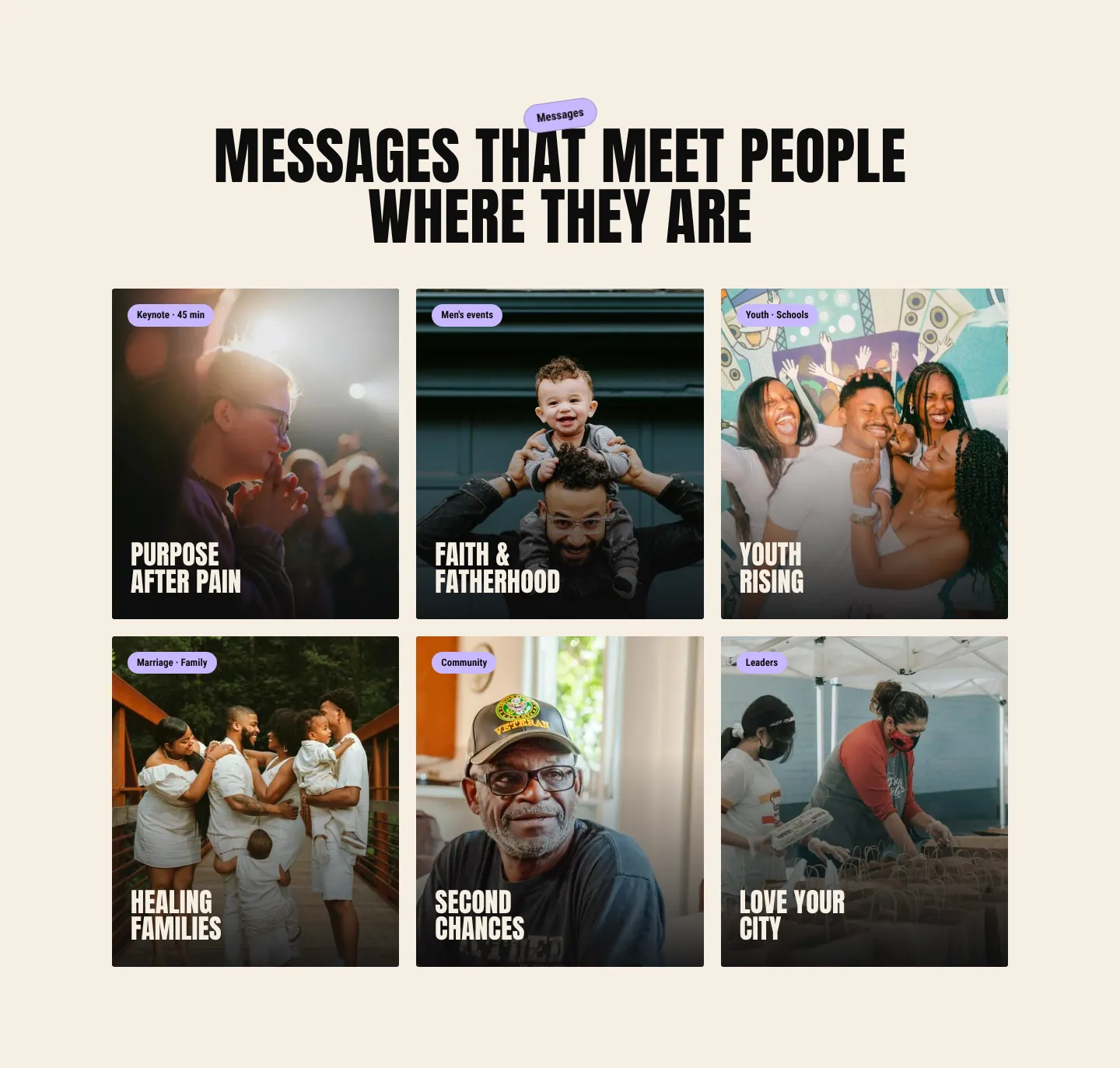
This example, from the Speakerfolio Spotlight template, shows six talks as photo cards. Each card has a short, memorable title, a format tag and an audience tag. An organiser can scan the whole range in a few seconds.
The next section turns those talks into bookable formats:
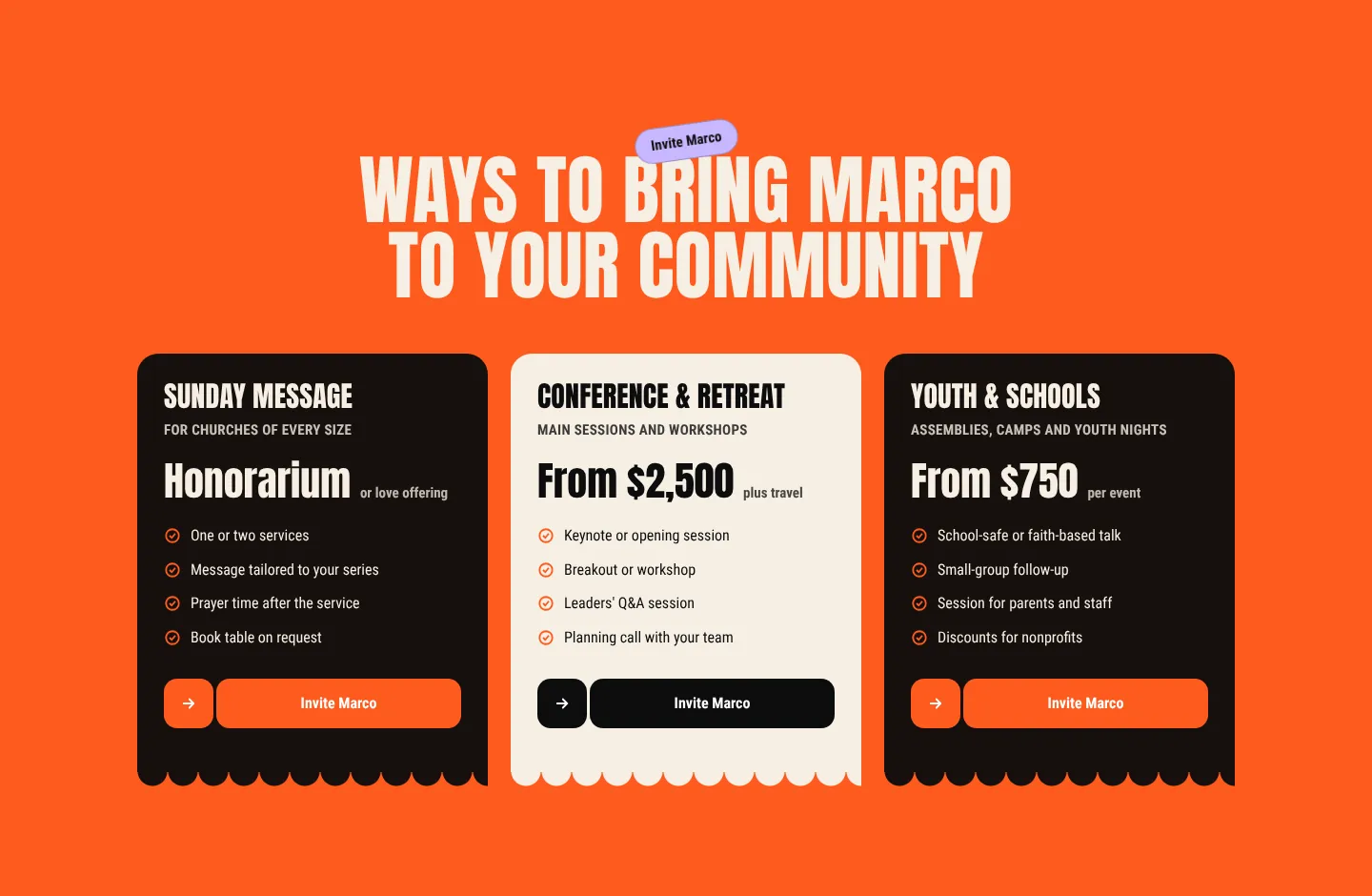
Three cards show the ways to book: a single talk, a half-day or full-day session, and a session for schools. Each one lists what's included and a starting fee.
For coaches, the same idea works with different labels:
| Format | What it looks like for a coach |
|---|---|
| Keynote | A 30 to 60-minute talk built on your framework, for conferences and company events |
| Workshop | A half-day or full-day interactive session with exercises from your coaching |
| Team program | Workshops plus group coaching over a few weeks |
| Podcast or panel guest | A conversation format, often free or low-fee, that builds visibility |
How to copy it: give each talk a title, one sentence on what the audience will leave with, and two or three tags for format and audience. Turn your coaching framework into your signature talk: if your method has four steps, your talk can teach those four steps. Our guide on how coaches can use speaking to get more clients covers how to build that talk and what to offer at the end.
Example 7: Video and podcast to show how you sound
People book coaches and speakers they feel they already know. Video is the fastest way to get there.
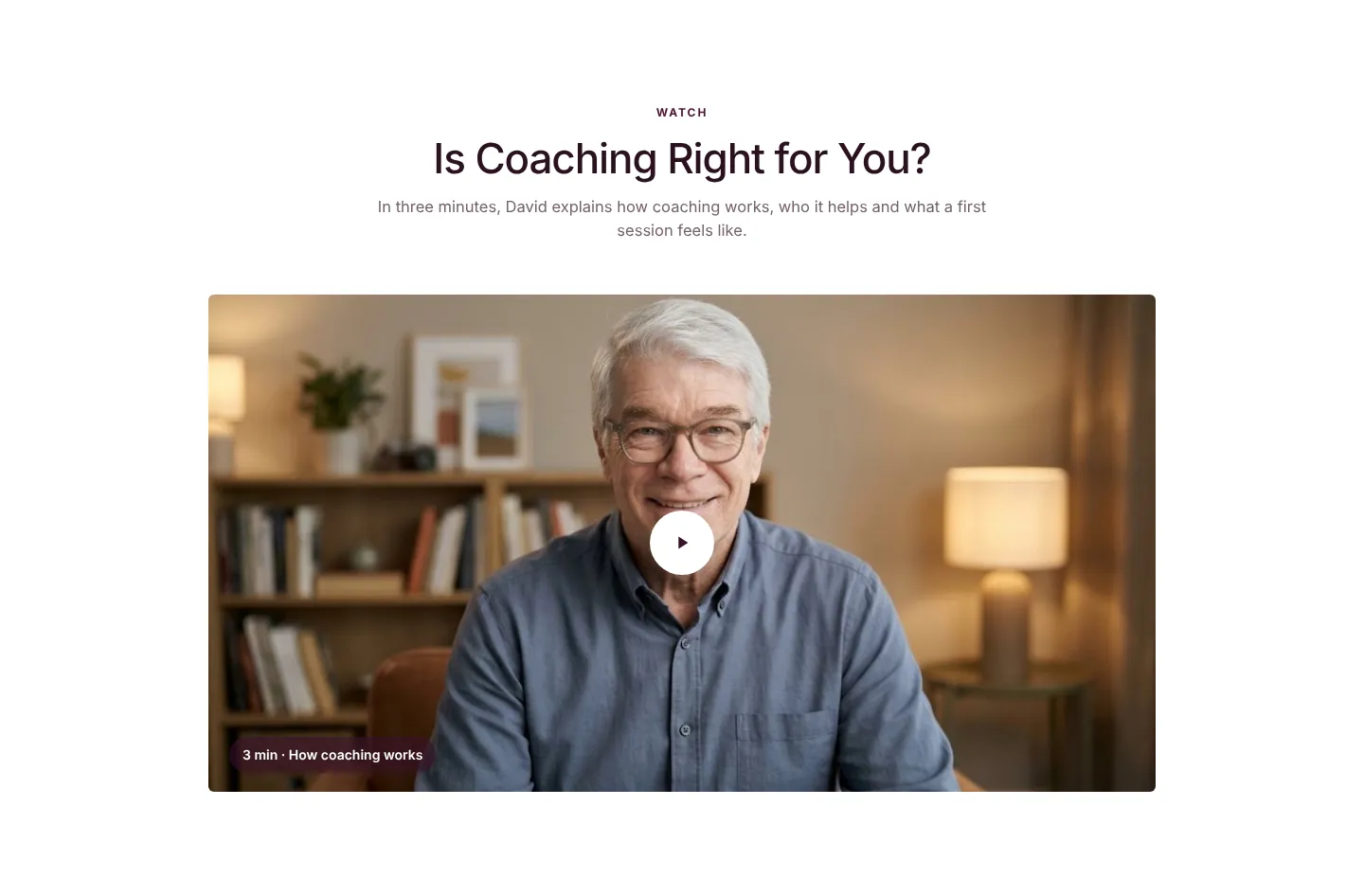
This video section is simple: a heading that asks the visitor's real question, "Is coaching right for you?", one line of context and a three-minute video. It works for both audiences. Potential clients hear how you talk. Organisers see how you come across on camera.
If you have a podcast or regular talks, a podcast section does the same job at a larger scale:
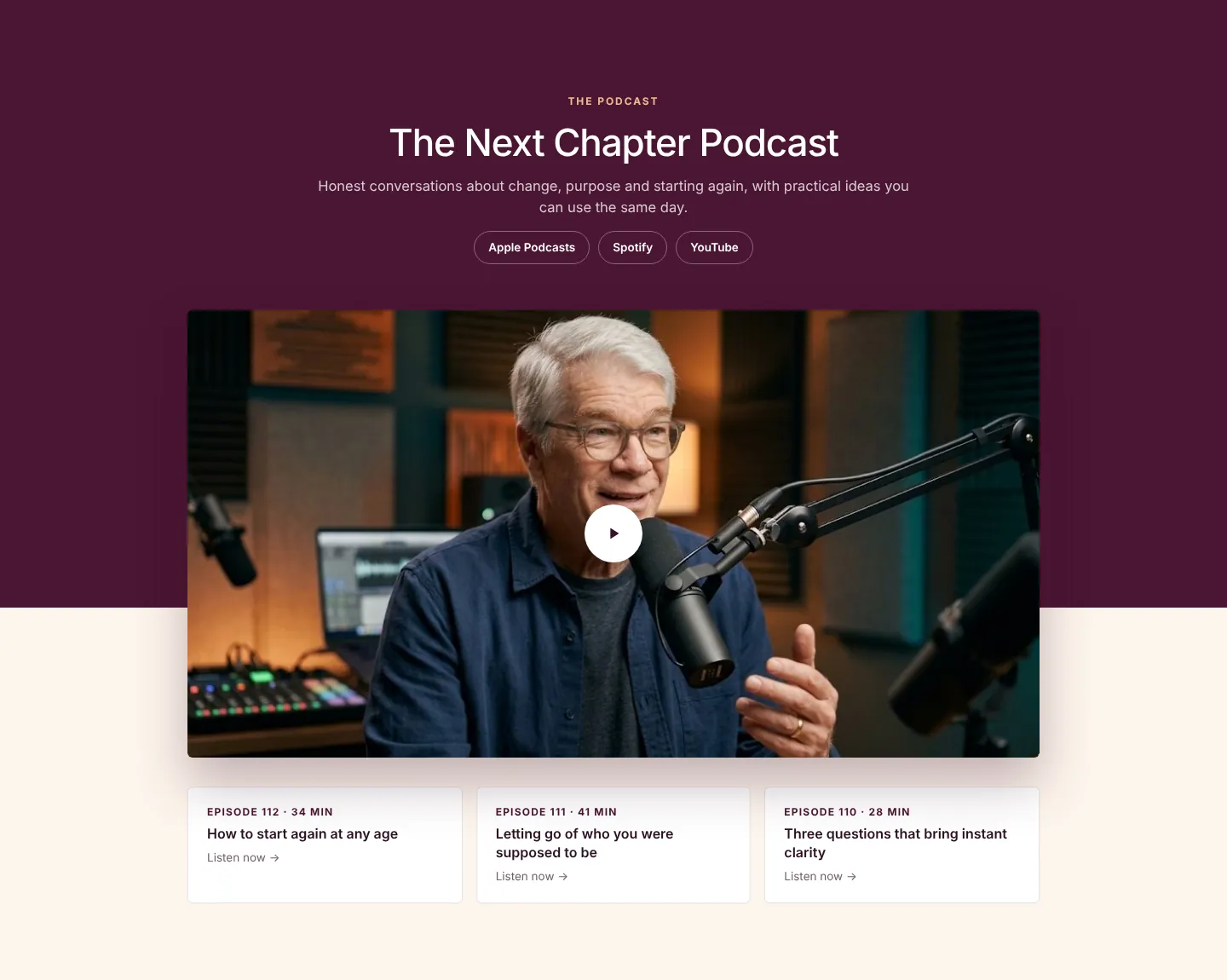
Three recent episodes, one featured video and links to the platforms. It shows you have plenty to say, which is exactly what an organiser wants to know.
How to copy it: you don't need a professional reel. A clear two to three-minute video of you explaining how you work, or a clip from a talk, is enough. If you speak, put your best speaking clip here; if you don't have one yet, record a short talk on your framework and use that.
Example 8: A bottom section with two clear next steps
The end of the page is where both visitors decide. Give each one a clear way forward.
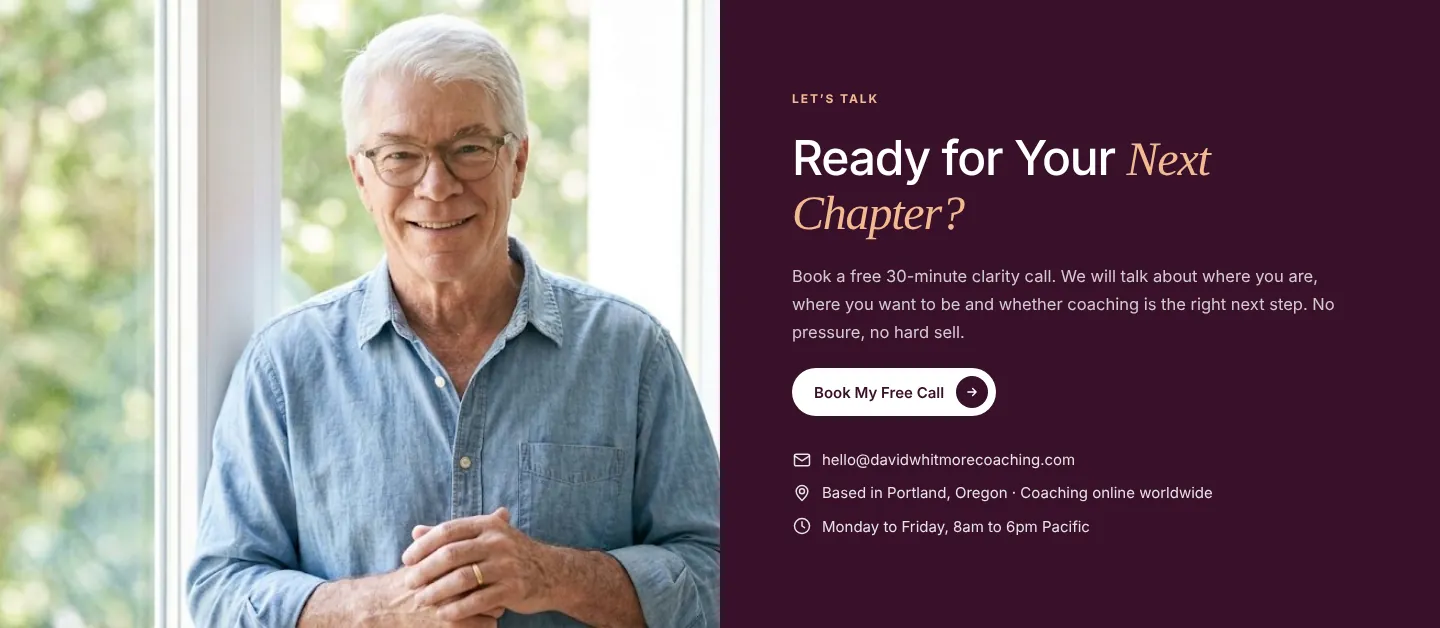
This closing section invites potential clients to book a free 30-minute clarity call. It repeats the length of the call, the promise ("No pressure, no hard sell"), the button, an email address, location and hours. Everything a hesitant visitor needs is in one place.
For speaking enquiries, a short form works better than a calendar link, because organisers need to share event details:
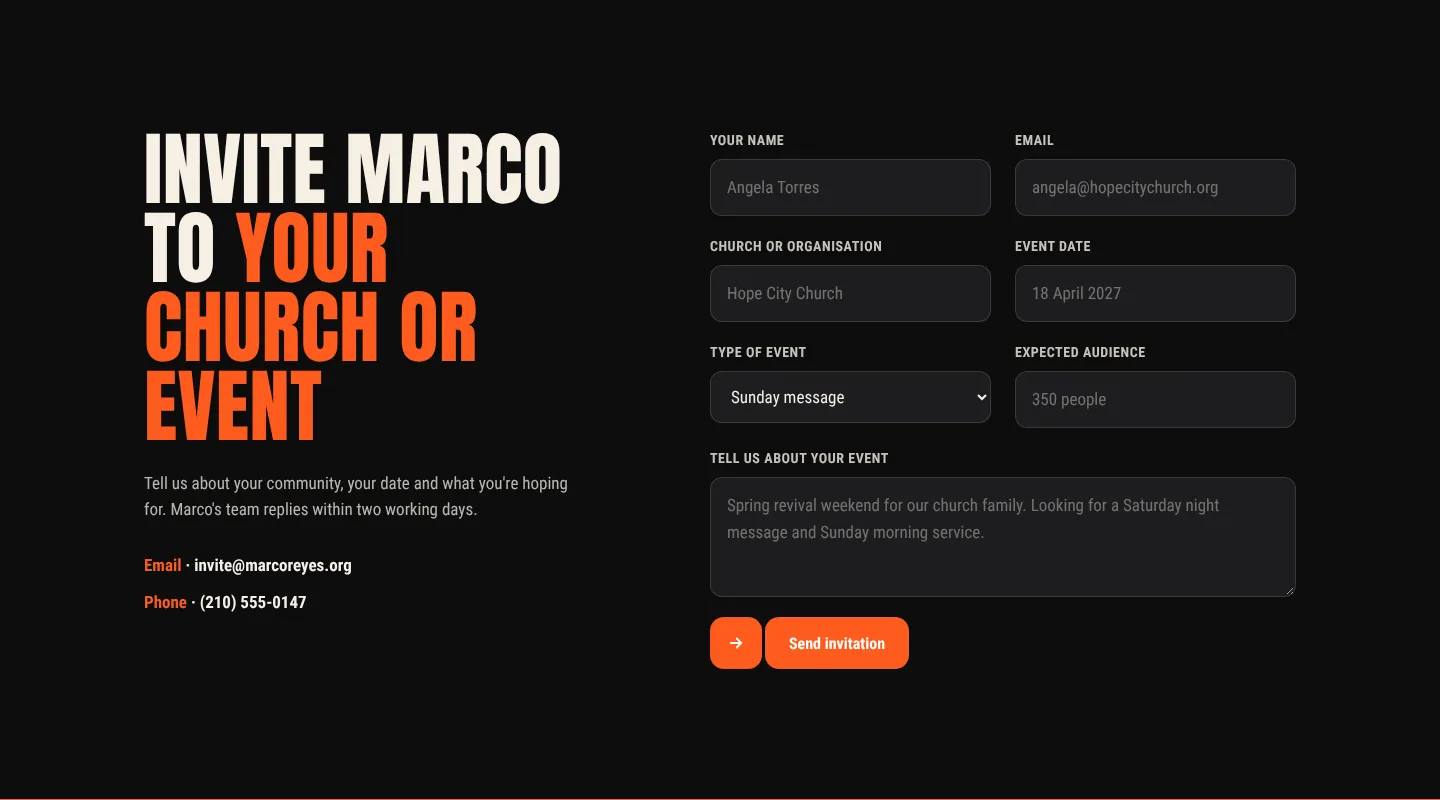
This form asks for the essentials: name, email, organisation, event date, type of event, audience size and a message. That's enough to send a quote or set up a call.
How to copy it: end the page with your discovery call button for clients, then add a second line for organisers: "Booking a talk or workshop? Tell me about your event" with a short form or email link. Keeping the two paths separate means clients don't land on an event form, and organisers don't get sent to a coaching calendar.
Two more sections worth adding
Results and testimonials
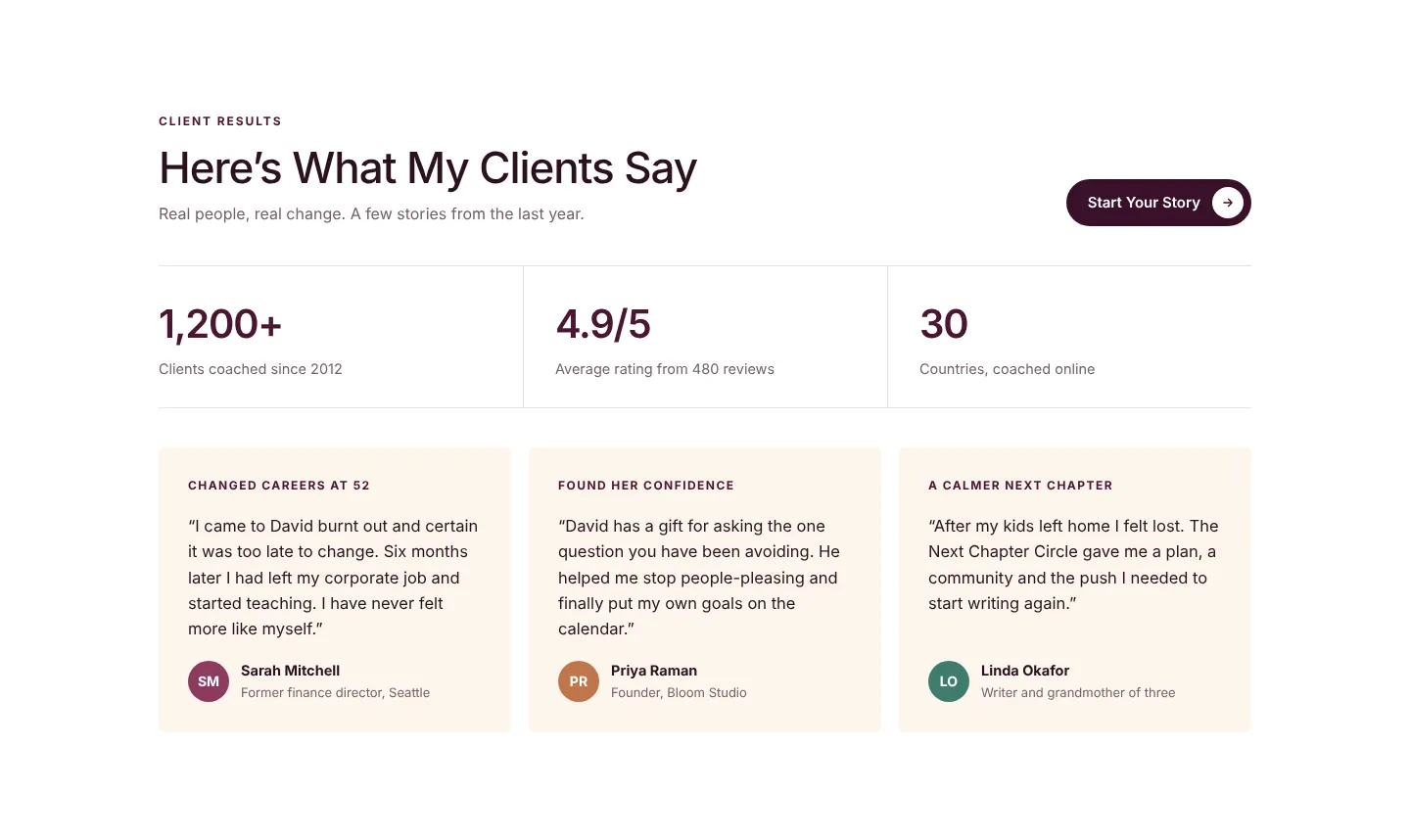
Three numbers and three named testimonials. Use the client's first name, role and a photo if they agree. For speaking, add one testimonial from an organiser: "Our team still talks about the session" from a named HR director carries a lot of weight.
FAQ
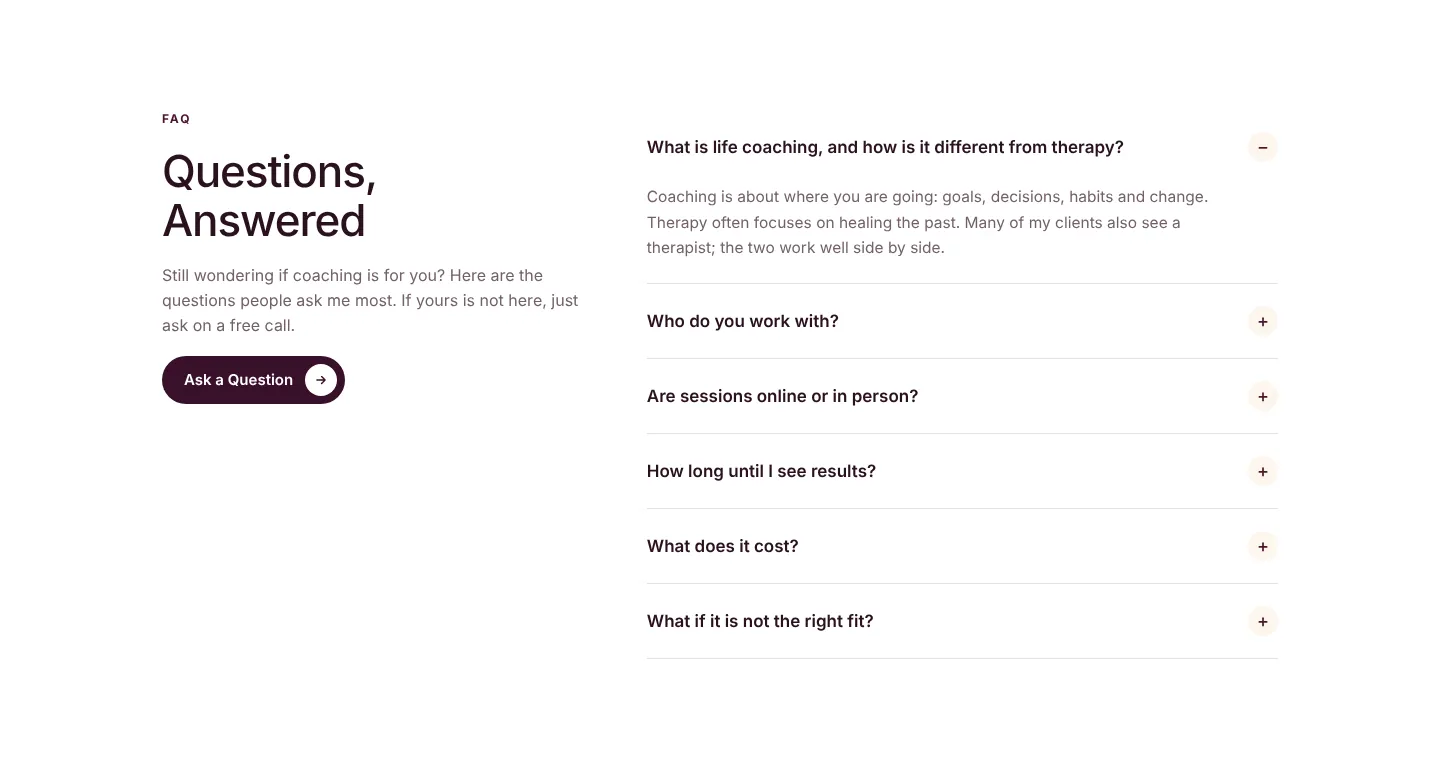
Answer the questions you hear on every discovery call: what coaching is and how it differs from therapy, who you work with, whether sessions are online, how long results take and what it costs. Add one or two for organisers: whether you travel, which formats you offer and how far ahead to book.
How to write your discovery call section
The discovery call is the main action on a coach website, so the words around it matter.
| Element | Weak | Stronger |
|---|---|---|
| Button | Contact me | Book a free clarity call |
| Length | Not mentioned | A free 30-minute call |
| What happens | Not mentioned | We'll talk about where you are, where you want to be and whether coaching is right for you |
| Pressure | Not mentioned | No pressure, no hard sell |
| Format | Not mentioned | On Zoom, at a time that suits you |
Here's a short block you can adapt:
Book a free 30-minute clarity call. We'll talk about where you are now, what you want to change and whether coaching is the right next step. It's on Zoom, there's no pressure and you'll leave with at least one idea you can use straight away.
Link the button straight to your calendar (Calendly, Cal.com, TidyCal or similar), so people can book without emailing back and forth.
How to write your talks section
Organisers are busy. Give them what they need to decide quickly.
For each talk, include:
- A title that's short and memorable. "From Stuck to Clear" works better than "A Comprehensive Approach to Career Transitions".
- One sentence on what the audience will leave with.
- Formats: keynote, workshop or both, and typical length.
- Audience: who it's best for, such as managers, women in leadership or new graduates.
Then add, somewhere in the section:
- Places you've spoken, even if they're small: a local business network, a company team day or a podcast.
- A clip of you speaking, or a link to your video section.
- How to book: a form, an email or "Ask about availability".
If you're new to speaking, two or three talks are plenty. It's better to show a few strong titles than a long list nobody believes.
Common mistakes on coach websites that also offer talks
- Too many buttons. "Book a call", "Download my guide", "Join my list", "Hire me to speak" and "Shop" in one hero. Pick one main action.
- Speaking hidden on another site. If organisers have to find a separate speaker page, many won't.
- No prices or price hints anywhere. Visitors leave rather than ask.
- Testimonials without names. "Amazing coach! – J." doesn't convince anyone.
- One form for everything. Clients and organisers need different information, so give them different forms or at least a field to choose.
- No video. For coaches and speakers, how you sound is part of what people are buying.
A quick checklist for your coach website
Use this to check your own page:
| Section | Have it? |
|---|---|
| Hero with a clear promise and one discovery call button | |
| Trust strip: credentials, logos or a rating | |
| About section written for the client | |
| Problems your clients face, in their words | |
| How coaching works, in three or four steps | |
| Programs with a starting price or price guidance | |
| Named testimonials and real numbers | |
| Talks with titles, formats and audiences | |
| A video of you coaching or speaking | |
| FAQ for clients and organisers | |
| Final section with a discovery call button and a speaking enquiry option |
For more layouts from speakers' sites, see our keynote speaker website examples.
How Speakerfolio helps coaches who speak
Speakerfolio builds coaches and speakers a professional page that potential clients and event organisers can find, check and contact.
- Free website: Speakerfolio writes and builds your one-page site from your LinkedIn profile, on yourname.speakerfolio.com, usually within two working days. It includes your coaching programs, talks, testimonials, bio, a discovery call button and a booking form. Our Coach template was designed for coaches who speak, and every example in this article comes from our templates.
- A profile in the Speakerfolio speaker directory, where event planners search by topic and format.
- No commission: discovery calls and booking requests go straight to you.
- Premium ($100 a year): a custom design on your own domain, with as many pages as you need, such as separate pages for coaching and speaking.
Browse all the speaker website templates to compare layouts.
Frequently asked questions
What should a coach website include?
A clear headline about the change you help people make, one discovery call button, an about section, the problems you solve, how coaching works, your programs, named testimonials, an FAQ and a final call-to-action. Coaches who speak should add a talks section, a video and a speaking enquiry form.
Where should the discovery call button go on a coach website?
In the hero, after your programs and at the bottom of the page. Use the same wording each time, such as "Book a free clarity call", so visitors know it's the same step.
Should I show prices on my coaching website?
It's your choice, but a starting price or "programs from" figure usually helps. It filters out people who can't afford you and gives serious visitors the confidence to book a call. If you'd rather not show prices, say that pricing is shared on the discovery call.
Can one website work for coaching clients and speaking bookings?
Yes. Most of the page, such as your bio, proof and video, serves both. Give each audience its own section and next step: a discovery call for clients and a short enquiry form for organisers.
What's the difference between a discovery call and a consultation?
They're usually the same thing: a free, short call to see whether you're a good fit. Pick one name and use it consistently across your site.
How many talks should a coach list on their website?
Two to four is plenty for most coaches. Each talk needs a clear title, one sentence on what the audience gets, formats and the audiences it suits.
Do I need a speaker reel?
Not to start. A clear two to three-minute video of you explaining how you work, or a clip from a talk or workshop, helps organisers and clients see how you come across. You can add a full reel later.
Conclusion
The best coach website examples keep things simple: one promise, one discovery call button repeated through the page, a short explanation of how coaching works, clear programs, real proof and a talks section that lets organisers book you without a long email chain. Build those sections, give clients and organisers their own next step, and your website will start doing the selling between calls. Get your free speaker website from Speakerfolio, built on the Coach template, to start.

Saleh is a UI/UX and web designer with more than five years of experience and the founder of Speakerfolio, where he builds websites that help speakers get booked. He specialises in conversion-focused design and on-page SEO.
Connect on LinkedInRelated articles
All articles