How Corporate Trainers Can Win More Clients with a Simple Website
How corporate trainers can win more clients with a simple website: the 7 sections HR and L&D buyers look for, with template screenshots and a 30-day plan.
Corporate trainers win more clients with a simple website when it does three things well: it tells an HR or learning buyer exactly who you train and what changes, it proves you've done it before, and it makes the next step (a discovery call) easy. You don't need a big, expensive site. A single page with seven sections covers it: a clear hero, your programs, how you work, case studies, results and testimonials, an FAQ and a booking form. Below, each section is shown with a screenshot from Speakerfolio's free Trainer template, along with the words L&D buyers respond to, how to get found and a 30-day plan to launch.
Key takeaways
- Most corporate training clients check your website before they call, even when they found you through a referral.
- Write for the buyer, not for yourself. HR and learning leaders want outcomes, process and proof, not your life story.
- Seven sections are enough: hero, programs, process, case studies, results, FAQ and booking.
- Simple wins. One clear page that loads fast and works on a phone beats a ten-page site nobody finishes.
Why corporate trainers need a website, even with a full referral pipeline
Most corporate trainers get work through people: a past client moves to a new company, an HR director recommends you to a peer, someone sees you at a conference. So it's tempting to think a website doesn't matter much.
But think about what happens after the referral. The HR manager who hears your name doesn't call you straight away. They search for you. They want to see what you offer, who you've worked with and whether you look like someone they can put in front of their managers. Then they forward your link to their boss, or to the colleague who controls the training budget.
If there's nothing to find, or what they find is a LinkedIn profile and an out-of-date PDF, the referral loses momentum. If they find a clear website that answers their questions, the referral turns into a call.
Here's how corporate training is usually bought, and what your website does at each stage:
| Buying stage | What the buyer is doing | What your website needs to do |
|---|---|---|
| Discovery | Hears your name or searches for a training topic | Show up, and make it obvious what you train |
| Shortlist | Compares two or three trainers | Show programs, process and proof side by side |
| Internal approval | Sends options to a manager or budget holder | Give them a link that explains you without your help |
| Contact | Decides to get in touch | Offer a simple discovery call or enquiry form |
| Procurement | Checks details before signing | Answer practical questions: formats, group sizes, lead times |
A good website quietly does the selling at every one of those stages, including the ones you're not in the room for.
What HR and L&D buyers look for on a trainer's website
Before you write anything, it helps to know what the people reading it care about. L&D managers, HR business partners and heads of people are usually under pressure to show that training changes behaviour, not just that people enjoyed the day.
| Question in the buyer's head | What answers it on your website |
|---|---|
| Does this person train people like ours? | Who you train, industries you've worked in, client names |
| Will it fix our problem? | Programs described by outcome, not just topic |
| How does it work? | A short, clear process from first call to follow-up |
| Will it stick after the session? | Follow-up, tools, measurement |
| Has it worked for others? | Case studies, results, named testimonials |
| Can I sell this internally? | Numbers, a clear program summary, a link they can forward |
| What's the next step? | A low-commitment discovery call or enquiry form |
Every section in the simple website below answers one or more of those questions.
The simple website that wins corporate training clients: 7 sections
The screenshots below come from the Speakerfolio Trainer template, built for corporate trainers and workshop leaders. The demo trainer, Amara Okafor, trains managers to lead through change. Click any screenshot to open the live template.
1. A hero that says who you train and what changes
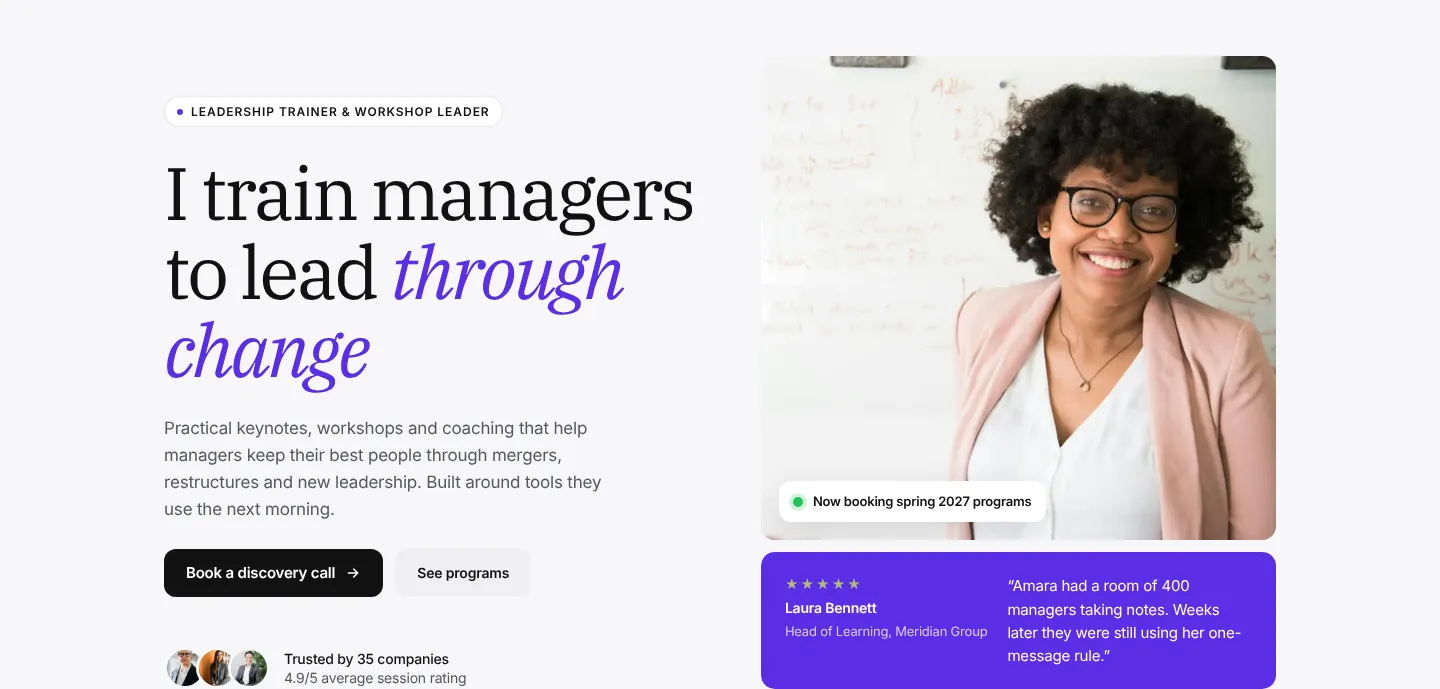
The Trainer template's hero: who she trains and what changes, a one-paragraph summary, a "Book a discovery call" button, a client count and a short testimonial.
The first screen of your website decides whether a buyer keeps reading. It needs to answer two questions in a few seconds: who do you train, and what changes for them?
"I train managers to lead through change" does both. Compare it with headlines like "Unlocking human potential" or "Award-winning facilitator and coach." Those could belong to anyone.
A strong hero for a corporate trainer includes:
- A headline naming your audience and the change: "I help sales teams handle objections and close more deals."
- One short paragraph saying what you deliver: keynotes, workshops, coaching, or a mix.
- One main button: "Book a discovery call" works better than "Contact me," because it tells people exactly what happens next.
- Quick proof: a client count, an average rating or a short testimonial from a named person.
- A real photo of you, ideally training a group or looking approachable.
Tip: if you train more than one audience, lead with the one that brings you the most work. You can mention the others further down.
2. Programs described by outcome
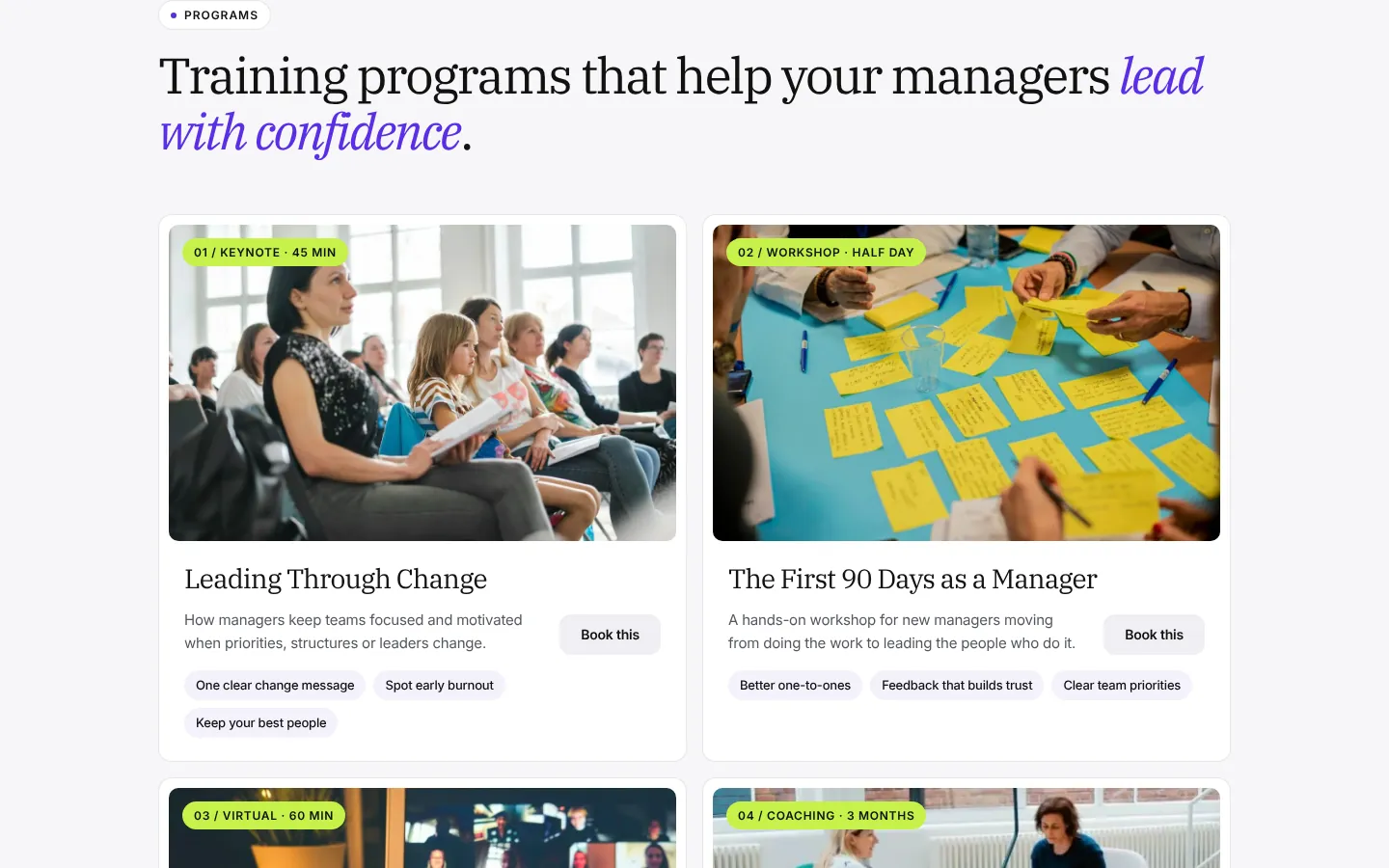
The Trainer template's programs section: each program shows its format and length, a title, a one-line description, three outcomes and a "Book this" button.
Your programs section is your menu. L&D buyers often arrive with a need in mind (new managers, hybrid teams, a restructure) and they want to see quickly whether you have something that fits.
For each program, include:
| Element | Example |
|---|---|
| Format and length | Workshop · Half day |
| A clear title | The First 90 Days as a Manager |
| One sentence on who it's for | For new managers moving from doing the work to leading the people who do it |
| Three outcomes | Better one-to-ones · Feedback that builds trust · Clear team priorities |
| A next step | "Book this" or "Ask about this program" |
Keep it to three or four programs. If you offer more, group them ("Leadership programs," "Communication programs") or put the full list on a separate page. A buyer who sees twelve options often picks none.
Write outcomes as things people will be able to do, not topics you'll cover. "Run a one-to-one that surfaces problems early" is an outcome. "One-to-one meetings" is a topic.
3. How you work, from first call to follow-up
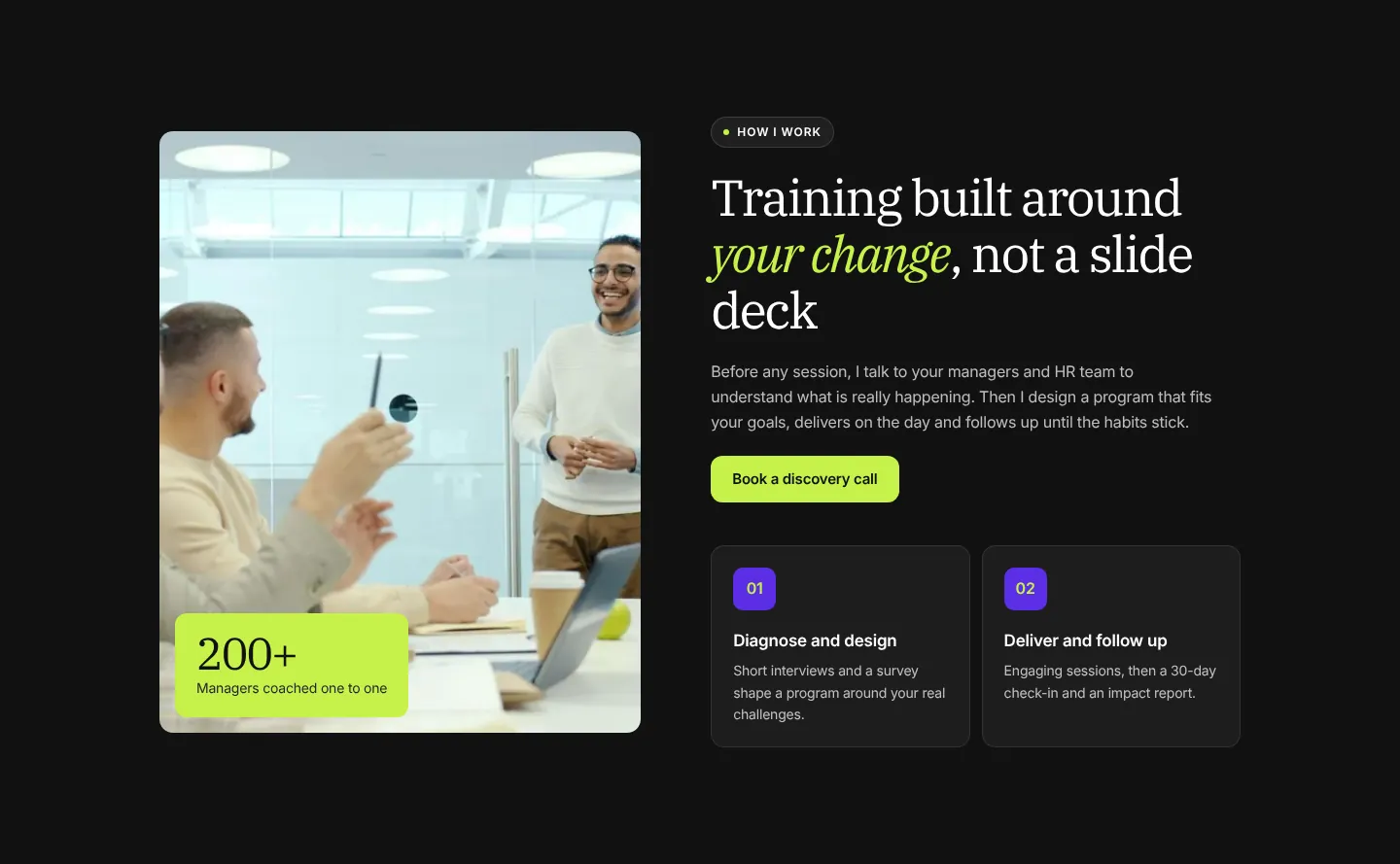
The Trainer template's "How I work" section: a promise ("Training built around your change, not a slide deck"), a short explanation, two numbered steps and a proof number.
Buyers worry about two things with a new trainer: that the session will be generic, and that nothing will change afterwards. A short process section addresses both.
Show the steps from first contact to the end of the engagement, for example:
- Discovery call: 30 minutes to understand the team, the change and the goals.
- Diagnose and design: short interviews or a survey shape a program around real challenges.
- Deliver: the session or program, in person or online.
- Follow up: a check-in after 30 days and a short impact report.
Two to four steps is enough. The point isn't to explain everything. It's to show the buyer that you have a method, that you'll tailor it to them and that you care about what happens after the session.
If you have a named method or framework, this is a good place to introduce it. Our guide on how to present your leadership framework on one page shows how to make it clear and visual.
4. Case studies that look like your next client
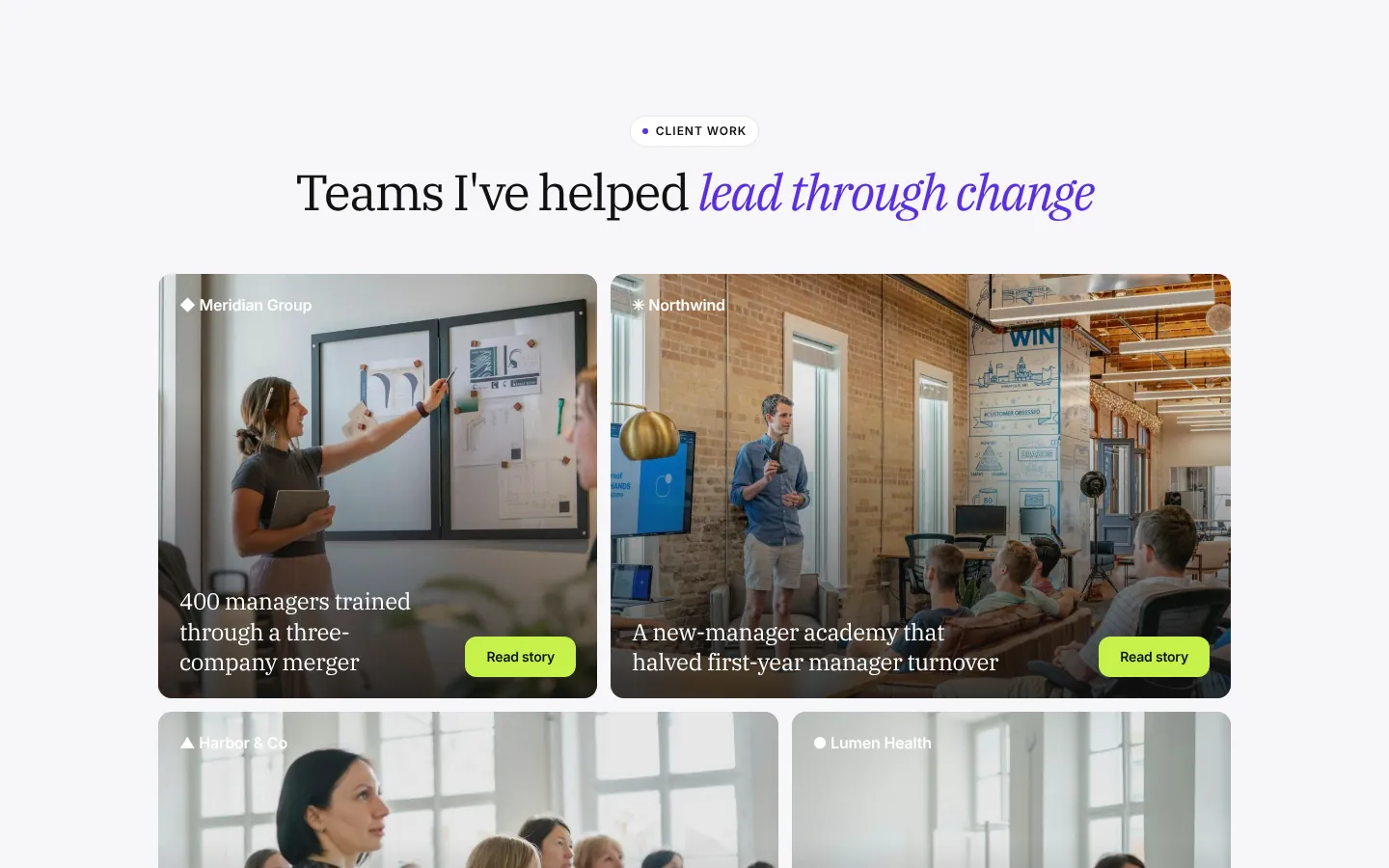
The Trainer template's client work section: each card shows the client's name, a one-line result and a "Read story" button.
Case studies are the most persuasive part of a corporate trainer's website, because they let buyers see themselves in someone else's situation. An HR director at a company going through a merger will read "400 managers trained through a three-company merger" very closely.
Each case study needs only a few parts:
- The client (name, if you have permission, or a description like "a 3,000-person logistics company")
- The situation: what was changing or going wrong
- What you did: the program, format and length
- The result: what changed, ideally with a number
- A quote from the person who hired you
On the main page, show each case study as a card with the client name and a one-line result. Link to a short page or pop-up with the full story for buyers who want detail.
Tip: pick case studies that match the clients you want more of. If you want more work with hospitals, lead with your hospital case study, even if it isn't your biggest client.
5. Results and testimonials buyers can forward
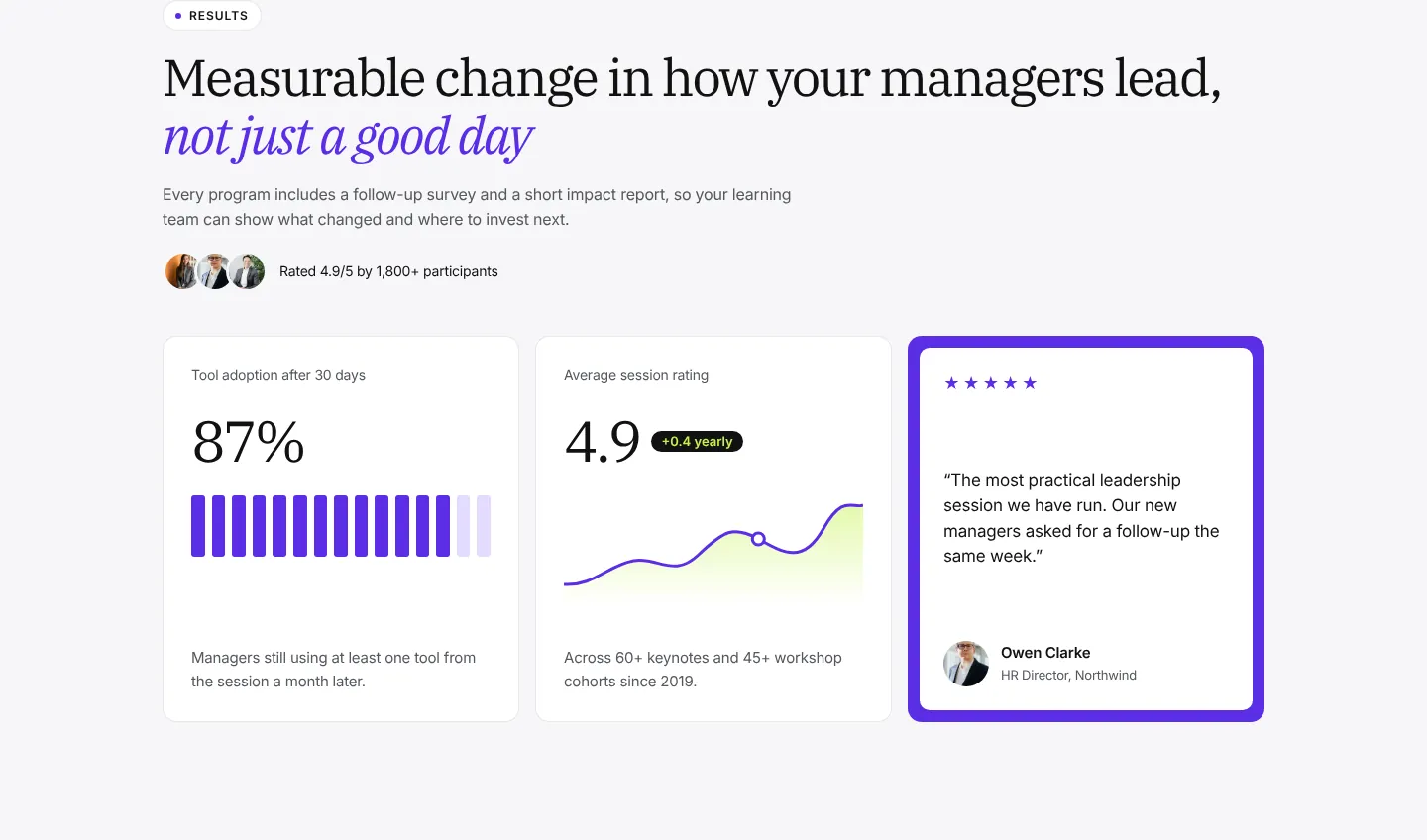
The Trainer template's results section: two result cards with a number and a small chart, and a testimonial from a named HR director.
L&D teams have to justify their budgets. A results section gives them the numbers they need to do that, and makes your website easier to forward internally.
Useful results for corporate trainers include:
- Behaviour change: "87% of managers still using at least one tool 30 days later"
- Satisfaction: "4.9/5 average rating across 60+ sessions"
- Business outcomes: "First-year manager turnover halved" (from a client's own figures)
- Repeat work: "Most clients book a second program within a year"
Only use numbers you can explain. The easiest way to collect them is a short survey 30 days after every program: three or four questions about what people are still using. After a few programs, you'll have real figures.
Pair your numbers with testimonials from named people: name, role and organisation. "Owen Clarke, HR Director, Northwind" is far more convincing than "a happy client." If you need better quotes, our guide on how to ask for testimonials right after a session shows what to send and when.
6. An FAQ that handles procurement questions
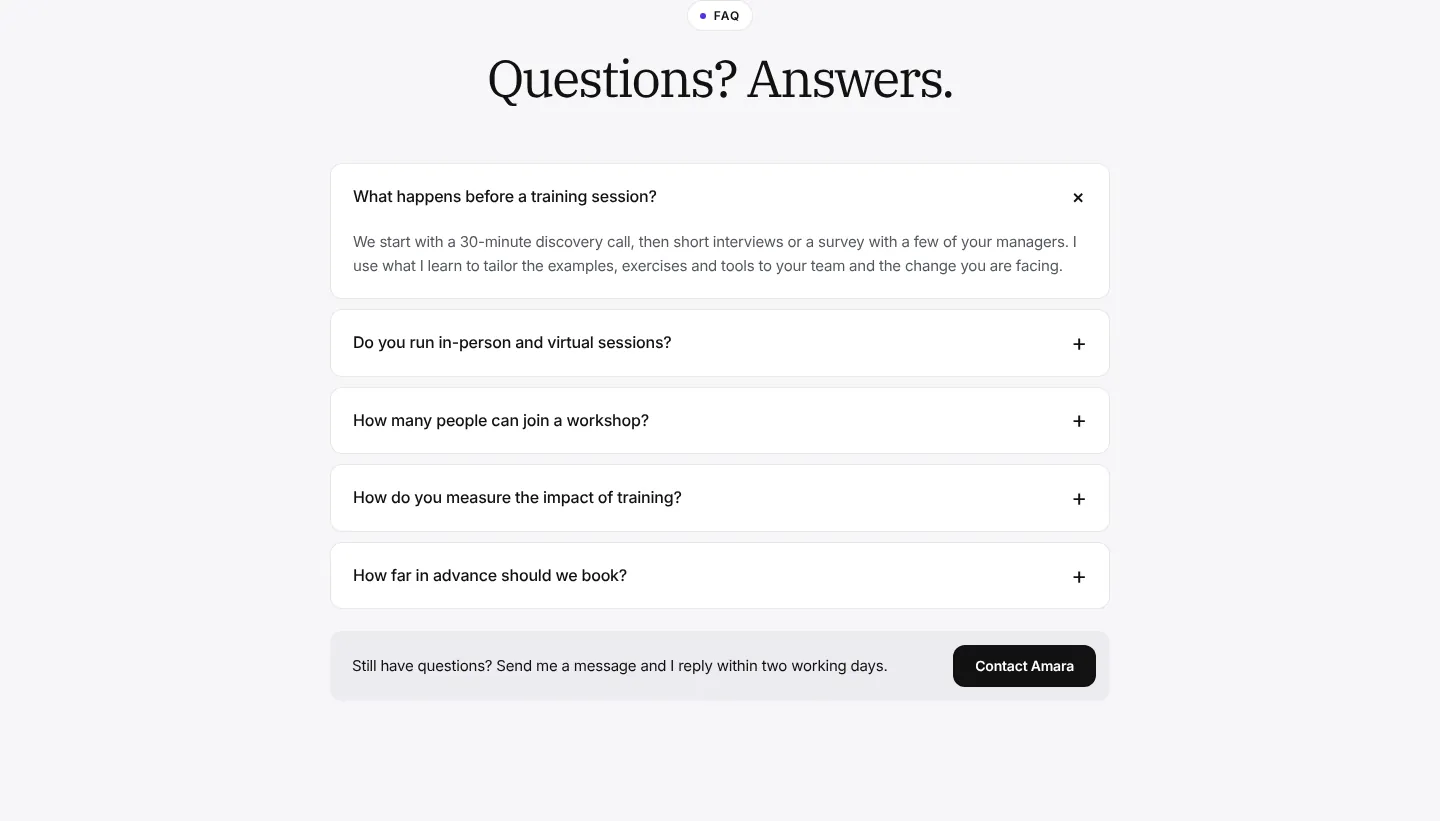
The Trainer template's FAQ: five questions buyers ask before they book, with a contact button underneath.
Buyers who are close to booking have practical questions. If your website answers them, you skip several emails, and you look organised.
Good FAQ questions for corporate trainers:
- What happens before a training session?
- Do you run in-person and virtual sessions?
- How many people can join a workshop?
- How do you measure the impact of training?
- How far in advance should we book?
- Can you tailor the program to our industry?
- Do you travel, and how do travel costs work?
- How do your fees work?
You don't have to publish prices. Many corporate trainers explain how fees work instead: "Fees depend on the format, group size and amount of tailoring. Most clients start with a discovery call, and I send a proposal within two working days."
7. A booking form that asks for the right details
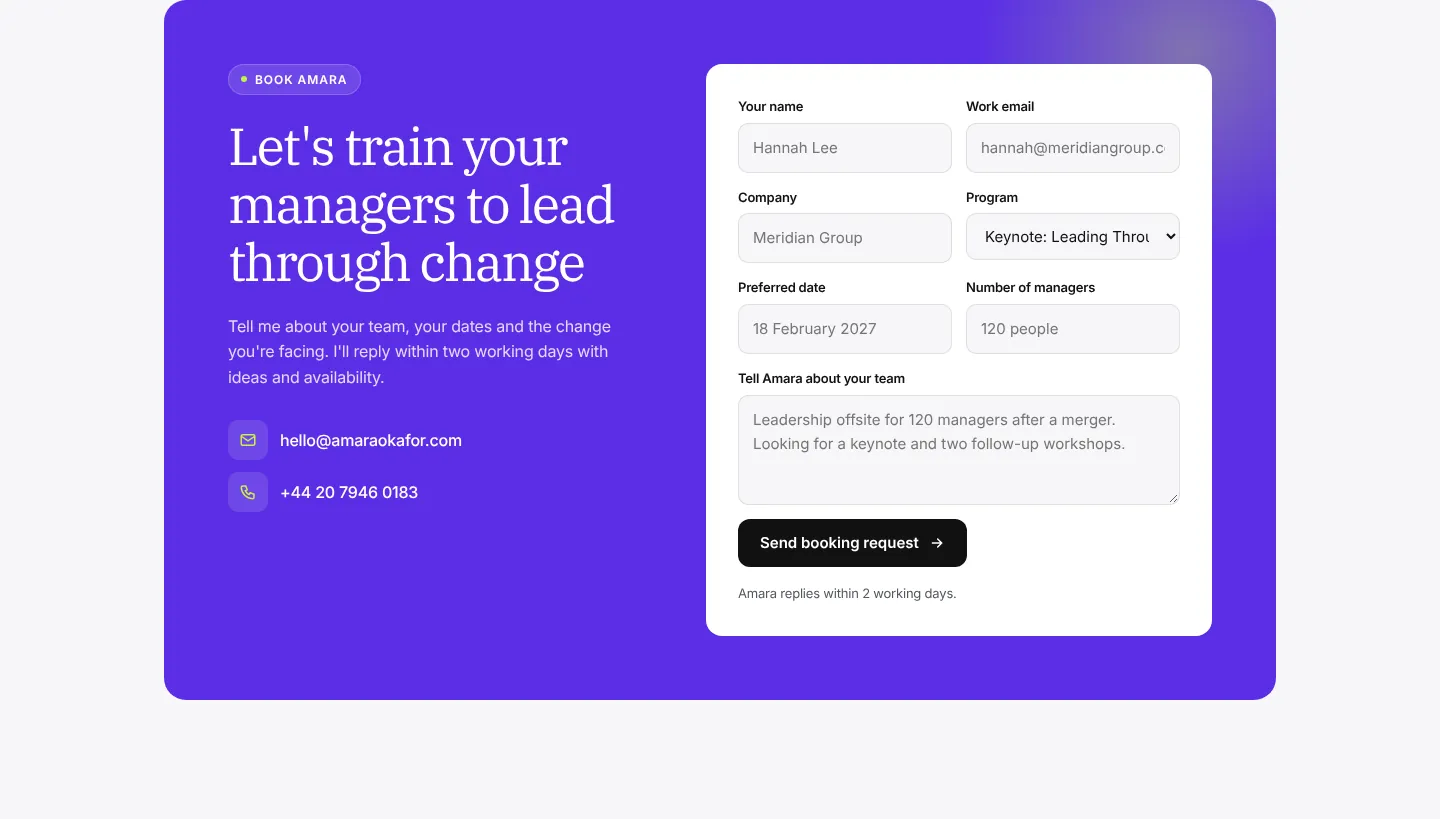
The Trainer template's booking section: a short promise, email and phone, and a form that asks only what the trainer needs to reply well.
Every section above leads here. A good booking form is short and specific to corporate training:
- Name and work email
- Company
- Program they're interested in (a dropdown, with "Not sure yet" as an option)
- Preferred date or timeframe
- Number of people (managers, team members, attendees)
- A short message about the team and the challenge
Then say when you'll reply: "Amara replies within 2 working days." Add your email and phone beside the form for buyers who'd rather write directly. And put a "Book a discovery call" button in the top menu, so it's always one click away.
Write for L&D buyers, not for yourself
The biggest difference between trainer websites that win clients and those that don't is the language. Many trainers write about their methods, credentials and passion. Buyers want to read about their people, their problem and what will change.
| Trainer language | Buyer language |
|---|---|
| "I'm passionate about developing people" | "Your managers will run better one-to-ones from next week" |
| "Experiential, interactive learning" | "Managers practise on real situations from your business" |
| "Certified in multiple methodologies" | "Every program is tailored after a short survey of your team" |
| "Transformational leadership journeys" | "A half-day workshop for new managers, plus a 30-day follow-up" |
| "I work with organisations of all sizes" | "Teams of 12 to 30 for workshops, any size for keynotes" |
| "Contact me to discuss your needs" | "Book a 30-minute discovery call" |
Some quick rules for writing your website copy:
- Use "you" more than "I." Talk about the reader's team.
- Name the people you train. Managers, sales teams, nurses, engineers, new leaders.
- Be specific about formats. "Half-day workshop" beats "training solution."
- Cut jargon. If an HR director wouldn't say it out loud to their CEO, rewrite it.
- Keep your bio short. Two or three sentences about why you're credible, then move on. Our guide on how to write a speaker bio works for trainers too.
How corporate trainers get found online
A website that nobody visits won't win clients. Most corporate trainers don't need to become SEO experts, but a few basics make a big difference.
Use the words buyers search for
Buyers search for the training they need, often with a location or format: "leadership training for new managers," "change management workshop London," "virtual communication skills training." Use those phrases naturally in your headline, program titles and page title.
| Instead of | Try |
|---|---|
| "The Clarity Programme" | "The First 90 Days: new manager training" |
| "Elevate" | "Sales objection handling workshop" |
| "Services" | "Leadership training programs" |
You can keep a creative program name. Just add a plain description next to it.
Set up the basics
- A clear page title and description that include what you train and who for.
- A Google Business Profile if you train clients in your area. It helps you show up in local searches and on maps.
- Your website link on LinkedIn, in your headline area, Featured section and contact info.
- Listings in relevant directories, such as training associations, chamber of commerce lists and the Speakerfolio speaker directory if you also deliver keynotes.
- A fast, mobile-friendly site. Many buyers first look you up on their phone.
Publish something useful now and then
You don't need a weekly blog. A short article every month or two that answers a question your clients ask ("What new managers get wrong in their first 90 days") helps buyers find you and shows how you think. Share each one on LinkedIn.
Turn visitors into enquiries
Getting buyers to your website is half the job. The other half is making it easy for them to take the next step.
- Offer a low-commitment first step. A free 30-minute discovery call is easier to say yes to than "request a proposal."
- Repeat the call to action. Put the button in the menu, the hero, after your programs and at the bottom.
- Say how fast you reply. "Replies within 2 working days" removes uncertainty.
- Show your availability. "Now booking spring programs" creates a gentle sense of timing without pressure.
- Offer something to download. A one-page program summary or a useful checklist gives buyers something to forward internally. Our guide on how to create a speaker one-sheet shows how to make one.
Use your website in every part of your sales process
Your website shouldn't just wait for visitors. Use it actively:
| Moment | How to use your website |
|---|---|
| After a referral | Send your link with a short note, so the buyer can forward it |
| In proposals | Link to the relevant program and a matching case study |
| On LinkedIn | Website in your profile; share new case studies and articles |
| In your email signature | One line: your name, what you train and your website |
| After every session | Send attendees your link and ask the organiser for a testimonial |
| At conferences | A QR code on your slides or handout that opens your website |
Simple website vs complex website: what corporate trainers actually need
| Simple one-page website | Multi-page custom website | |
|---|---|---|
| What it includes | Hero, programs, process, case studies, results, FAQ, booking | All of that, plus separate pages per program, a blog, resources |
| Time to launch | Days | Weeks to months |
| Cost | Free to low cost | Often thousands, plus ongoing fees |
| Upkeep | Update a few sections a year | Regular updates across many pages |
| Best for | Most independent trainers and small training businesses | Larger training companies with many programs and staff |
For most independent corporate trainers, a simple one-page website is the better choice. Buyers can see everything in one scroll, it's easy to keep up to date, and it loads fast. You can always add pages later as your programs grow.
Common mistakes on corporate trainer websites
- No clear audience. "I work with individuals and organisations" tells a buyer nothing.
- Programs listed by topic only. "Communication," "Leadership," "Resilience" with no format, length or outcomes.
- No proof. No client names, no numbers, no named testimonials.
- Stock photos only. Buyers want to see you with a real group.
- A long contact form. Every extra field costs you enquiries.
- No process. Buyers can't tell what working with you looks like.
- Out-of-date information. Programs you no longer run, dates from last year, a broken booking link.
- Hard to use on a phone. Tiny text, slow loading and menus that don't work.
A 30-day plan to launch your corporate trainer website
| Week | What to do |
|---|---|
| Week 1 | Write your headline, choose three or four programs and write their outcomes |
| Week 2 | Write two or three short case studies and collect testimonials with names and roles |
| Week 3 | Write your process, FAQ and short bio; choose photos of you training a group |
| Week 4 | Build the page, test it on your phone, set up your booking form and share it on LinkedIn |
If you'd rather skip the building part, you can send your content (or just your LinkedIn profile) to Speakerfolio and have the site built for you.
Get a simple corporate trainer website free with Speakerfolio
Every screenshot in this article comes from the Speakerfolio Trainer template, which was designed for corporate trainers and workshop leaders. You don't need to build it yourself. You send your LinkedIn profile, and Speakerfolio writes and builds your one-page website on yourname.speakerfolio.com, usually within two working days.
- Free: the Trainer template or any of our six speaker website templates, with your hero, programs, process, case studies, results, FAQ and booking form, plus a profile in the Speakerfolio speaker directory
- No commission: enquiries go straight to your inbox
- Premium ($100 a year): your own domain, a custom design and more pages, such as a page for each program, with hosting and updates included
For more layout ideas, see our keynote speaker website examples, many of which work just as well for trainers.
Frequently asked questions
Do corporate trainers really need a website?
Yes. Even trainers who get most of their work from referrals benefit, because buyers check your website before they call and share your link with colleagues and budget holders. A clear website keeps referrals moving.
What should a corporate trainer's website include?
A hero that says who you train and what changes, your programs with formats and outcomes, a short process, case studies, results and named testimonials, an FAQ and a short booking form.
Should I put my training prices on my website?
It's your choice. Many corporate trainers explain how fees work instead of listing prices, because cost depends on format, group size and tailoring. Some add "programs from" figures to filter out small budgets.
How many pages does a corporate trainer website need?
For most independent trainers, one well-structured page is enough. Add separate pages for each program, case studies or articles once you have more content.
How do corporate trainers get clients from their website?
By ranking for the training topics buyers search for, sharing the website in every referral and proposal, offering a low-commitment discovery call, and showing proof like case studies and results that buyers can forward internally.
What's the best website template for a corporate trainer?
Look for a template with sections for programs, process, case studies, results and a booking form. Speakerfolio's free Trainer template was designed for corporate trainers and includes all of these.
How long does it take to build a trainer website?
If you write your content first, you can launch a simple one-page site in a few days. Speakerfolio builds it for you from your LinkedIn profile, usually within two working days.
Win your next client with one clear page
Corporate training clients don't need a flashy website. They need to see quickly who you train, what changes, how you work and that you've done it before, then book a call without hunting for a contact form. Build a simple page around those seven sections, write it for the buyer, and use it in every referral, proposal and LinkedIn post. When you're ready, get your free speaker website built on the Trainer template by Speakerfolio.

Saleh is a UI/UX and web designer with more than five years of experience and the founder of Speakerfolio, where he builds websites that help speakers get booked. He specialises in conversion-focused design and on-page SEO.
Connect on LinkedInRelated articles
All articles