What to Include on a Corporate Trainer Website (with Examples)
What to include on a corporate trainer website: a 12-point checklist with weak and strong examples, template screenshots and when to choose a custom design.
A corporate trainer website should include a headline that names who you train and what changes, your programs with formats and outcomes, the industries and clients you work with, your method, case studies, measured results and named testimonials, a short bio with credentials, an FAQ and a simple way to book a discovery call. Add upcoming public workshops, a free resource and a video of you training if you have them. Below is a checklist of all 12 elements, with a weak and a strong example for each and screenshots from Speakerfolio templates. At the end, you'll see when a free template is enough and when a custom design from Speakerfolio makes more sense.
Key takeaways
- Eight elements are must-haves: headline, programs, clients, method, case studies, results, bio and booking.
- Four more help you win bigger clients: FAQ, public dates, a free resource and video.
- Specific beats impressive. "Half-day workshop for new managers" sells better than "transformational learning solutions."
- Start with a free template, upgrade when you grow. Speakerfolio builds both: a free one-page site, or a custom design on your own domain.
The corporate trainer website checklist
Use this as a quick audit of your current site, or as a plan for a new one. The rest of the article explains each item with examples.
| # | Element | Must-have or nice-to-have | What it proves to a buyer |
|---|---|---|---|
| 1 | Headline: who you train and what changes | Must-have | You're relevant to their team |
| 2 | Programs with format, length and outcomes | Must-have | You have something that fits their need |
| 3 | Industries and client names | Must-have | You've worked with people like them |
| 4 | Your method or process | Must-have | The training will be tailored and will stick |
| 5 | Case studies | Must-have | You've solved this problem before |
| 6 | Results and named testimonials | Must-have | It works, and they can justify the spend |
| 7 | Short bio and credentials | Must-have | You're qualified to teach this |
| 8 | Discovery call and booking form | Must-have | Getting started is easy |
| 9 | FAQ | Nice-to-have | You're organised and easy to work with |
| 10 | Upcoming public workshops | Nice-to-have | You're active and in demand |
| 11 | A free resource | Nice-to-have | You're generous with expertise |
| 12 | Video of you training | Nice-to-have | You can hold a room |
If you're new to this, our guide on how corporate trainers win more clients with a simple website explains how HR and learning buyers use your site at each stage. This article focuses on what goes on the page.
Must-haves: what every corporate trainer website needs
1. A headline that says who you train and what changes
Your headline is the first thing a buyer reads, and often the only thing they read before deciding whether to scroll. It should name your audience and the result.
| Weak | Strong |
|---|---|
| "Empowering people. Transforming organisations." | "I train managers to lead through change." |
| "Award-winning trainer and facilitator" | "Sales training that helps B2B teams close more deals this quarter" |
| "Welcome to my website" | "Communication skills training for engineers and technical teams" |
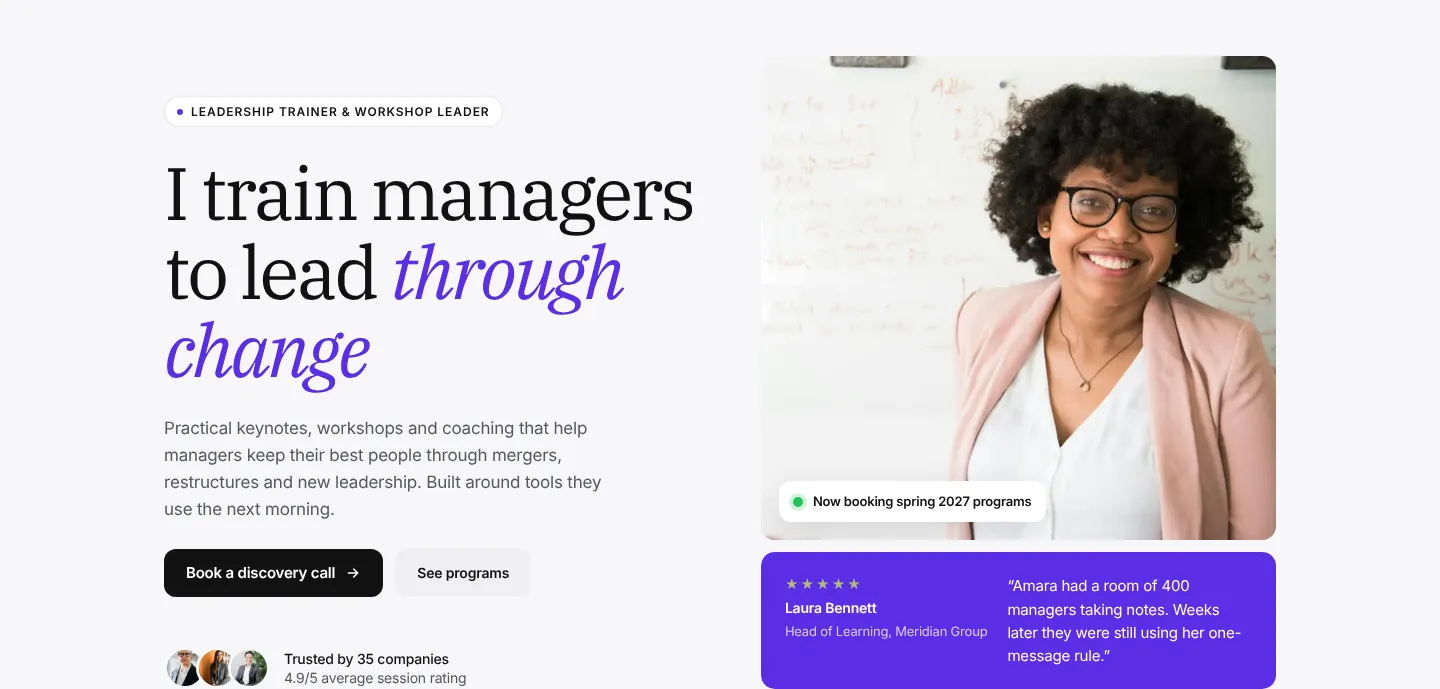
Example: the Speakerfolio Trainer template's hero names the audience (managers), the change (leading through change) and offers one clear next step.
Under the headline, add one short paragraph on what you deliver (workshops, keynotes, coaching), one main button, and a quick piece of proof such as a client count or a short testimonial.
2. Programs with format, length and outcomes
Buyers usually arrive with a need: new managers, a restructure, a hybrid team that isn't working. Your programs section tells them in seconds whether you have something that fits.
Each program should show:
- Format: workshop, keynote, virtual session, coaching or a blended program
- Length: 60 minutes, half day, full day, six weeks
- Who it's for: one sentence
- Outcomes: three things participants will be able to do afterwards
- A next step: "Book this" or "Ask about this program"
| Weak | Strong |
|---|---|
| "Leadership Development" | "The First 90 Days · Half-day workshop for new managers moving from doing the work to leading the people who do it" |
| "Topics: communication, feedback, delegation" | "Outcomes: run one-to-ones that surface problems early · give feedback that builds trust · set clear team priorities" |
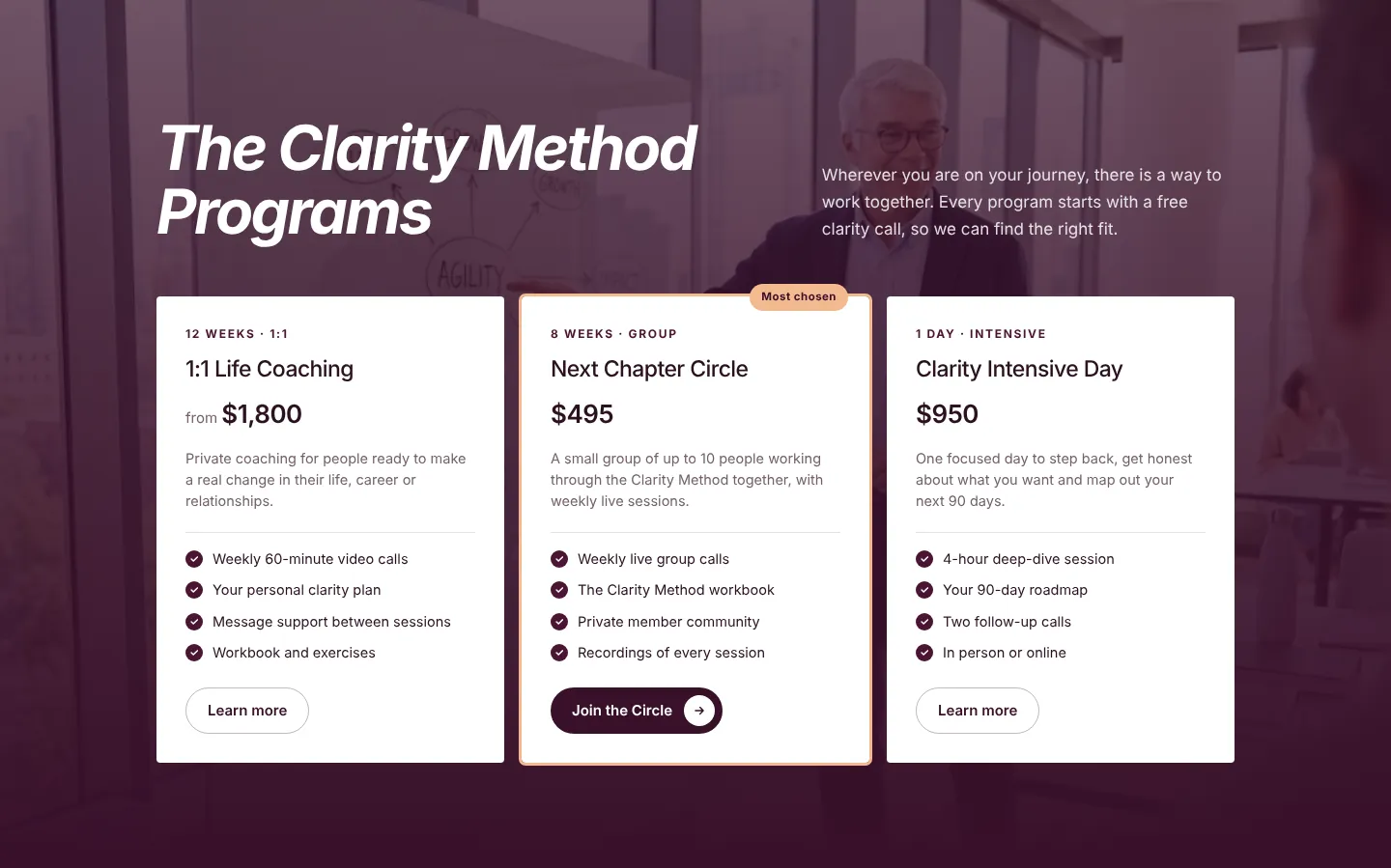
Example: the Coach template lays out three programs side by side, from one-to-one to a group program and an intensive day, with what's included and a "Most chosen" label.
Three or four programs is enough for most trainers. If you offer more, group them by theme and link to a page for each, which is one of the things a custom site makes easy (more on that below).
Should you show prices? It depends on how you sell. Programs with a fixed format, like open workshops or coaching packages, often show a "from" price. Tailored in-house programs usually say "fees depend on group size and tailoring" instead.
3. Industries and client names
The quickest way for a buyer to feel "this trainer gets us" is to see organisations like theirs. Add a row of client names or logos near the top, and mention the industries you know best.
| Weak | Strong |
|---|---|
| "I work with organisations of all sizes across many sectors." | "Trusted by HR and learning teams at Meridian Group, Northwind, Lumen Health and 30 more. Most of my work is in healthcare, logistics and financial services." |
A few rules:
- Ask permission before using a client's logo. Names in text are usually fine if you've done the work, but check your contracts.
- Lead with the sector you want more of. If you want more hospital work, put your hospital clients first.
- Five to eight names is plenty. A wall of 40 logos is harder to scan than six good ones.
4. Your method: how a program runs
Buyers worry that training will be generic and that nothing will change afterwards. A short method section answers both worries by showing what working with you looks like from start to finish.
| Weak | Strong |
|---|---|
| "I use a bespoke, experiential approach." | "1. A 30-minute discovery call. 2. A short survey of your managers. 3. A half-day workshop built on their real situations. 4. A 30-day check-in and a one-page impact report." |
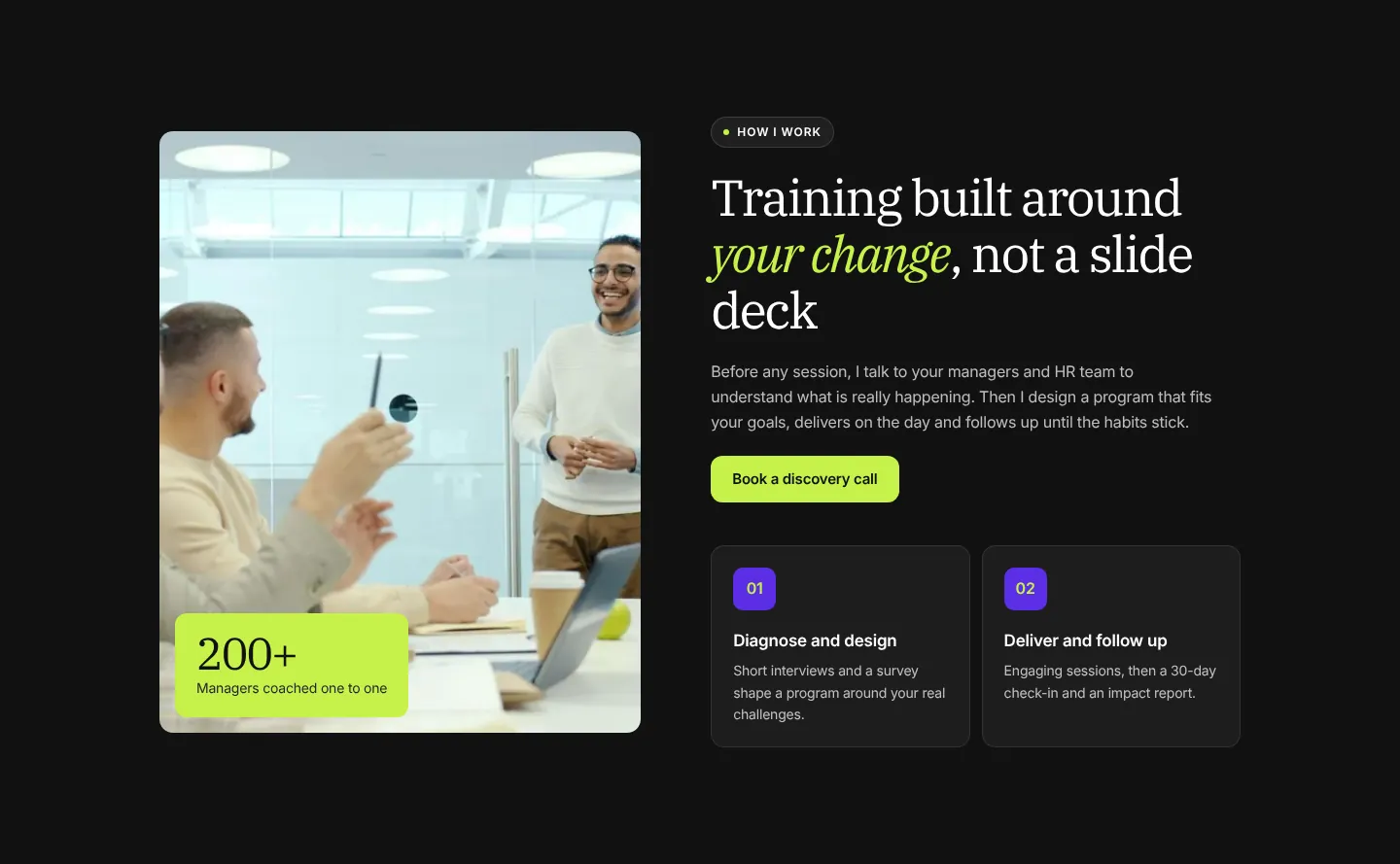
Example: the Trainer template's "How I work" section shows the method in two steps, with one proof number on the photo.
If your method has a name or a framework, this is the place for it. Our guide on how to present a leadership framework on one page shows how to make it clear and visual.
5. Case studies
Case studies are the most persuasive part of a trainer's website, because they let buyers see themselves in another client's story. Keep each one short:
- Client: name, or a description like "a 2,000-person logistics company"
- Situation: what was changing or going wrong
- What you did: program, format, length
- Result: what changed, with a number if you can
- Quote: from the person who hired you
| Weak | Strong |
|---|---|
| "Delivered leadership training for a large company." | "Meridian Group · 400 managers trained through a three-company merger. 87% were still using at least one tool 30 days later." |
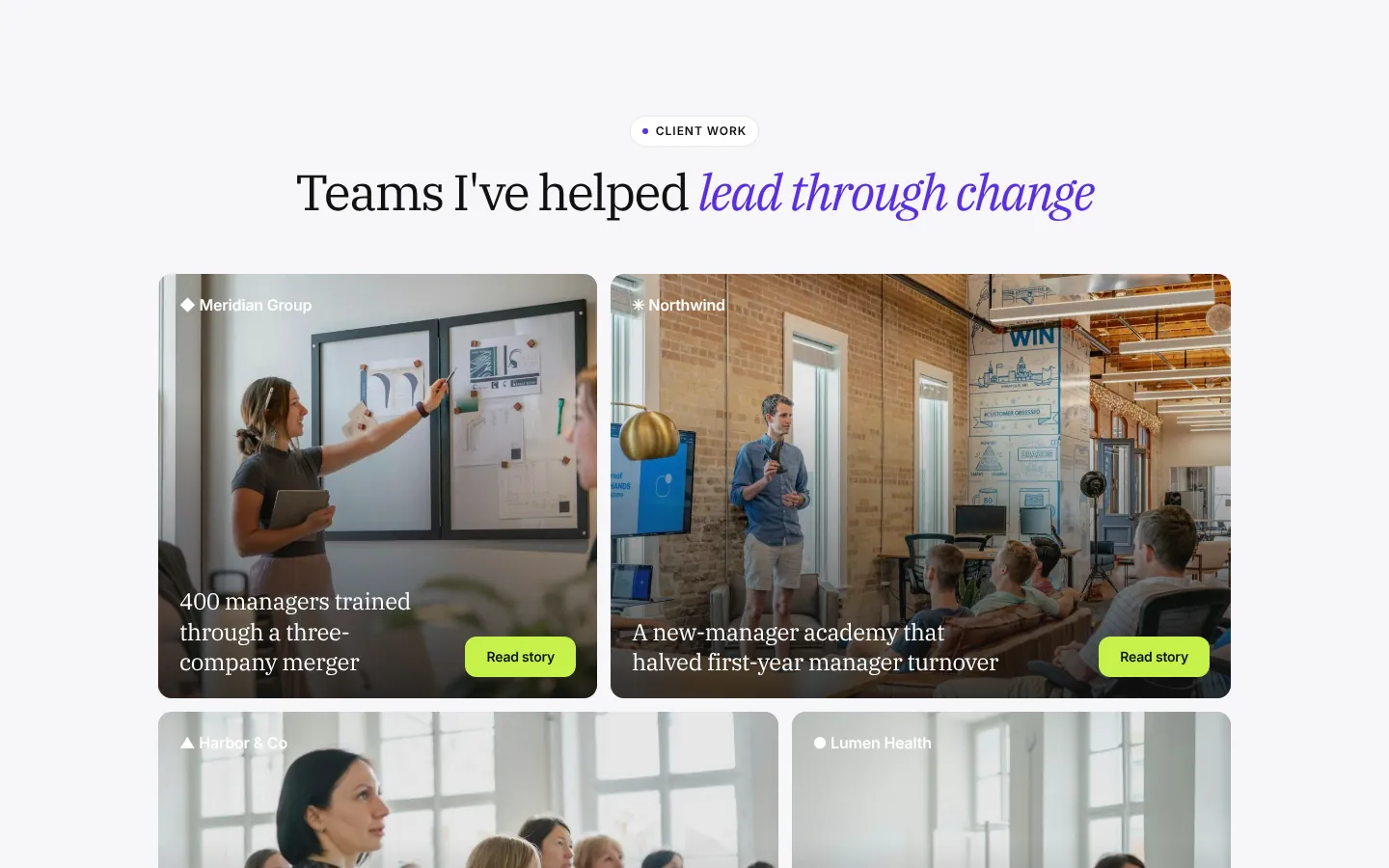
Example: the Trainer template shows each case study as a card with the client's name, a one-line result and a link to the full story.
Two or three case studies on the main page is enough. Choose the ones that match the clients you want next.
6. Results and named testimonials
L&D teams have to justify their budget. Numbers and named quotes give them the evidence to do it, and make your website easy to forward to a manager.
Good results for corporate trainers:
- How many participants still use what they learned after 30 days
- Average session rating and how many sessions it covers
- Repeat bookings
- A business outcome a client measured, like lower turnover or faster onboarding
Pair the numbers with testimonials from named people, with their role and organisation.
| Weak | Strong |
|---|---|
| "Amazing session! Highly recommend." – A client | "Amara had a room of 400 managers taking notes. Weeks later they were still using her one-message rule." – Laura Bennett, Head of Learning, Meridian Group |
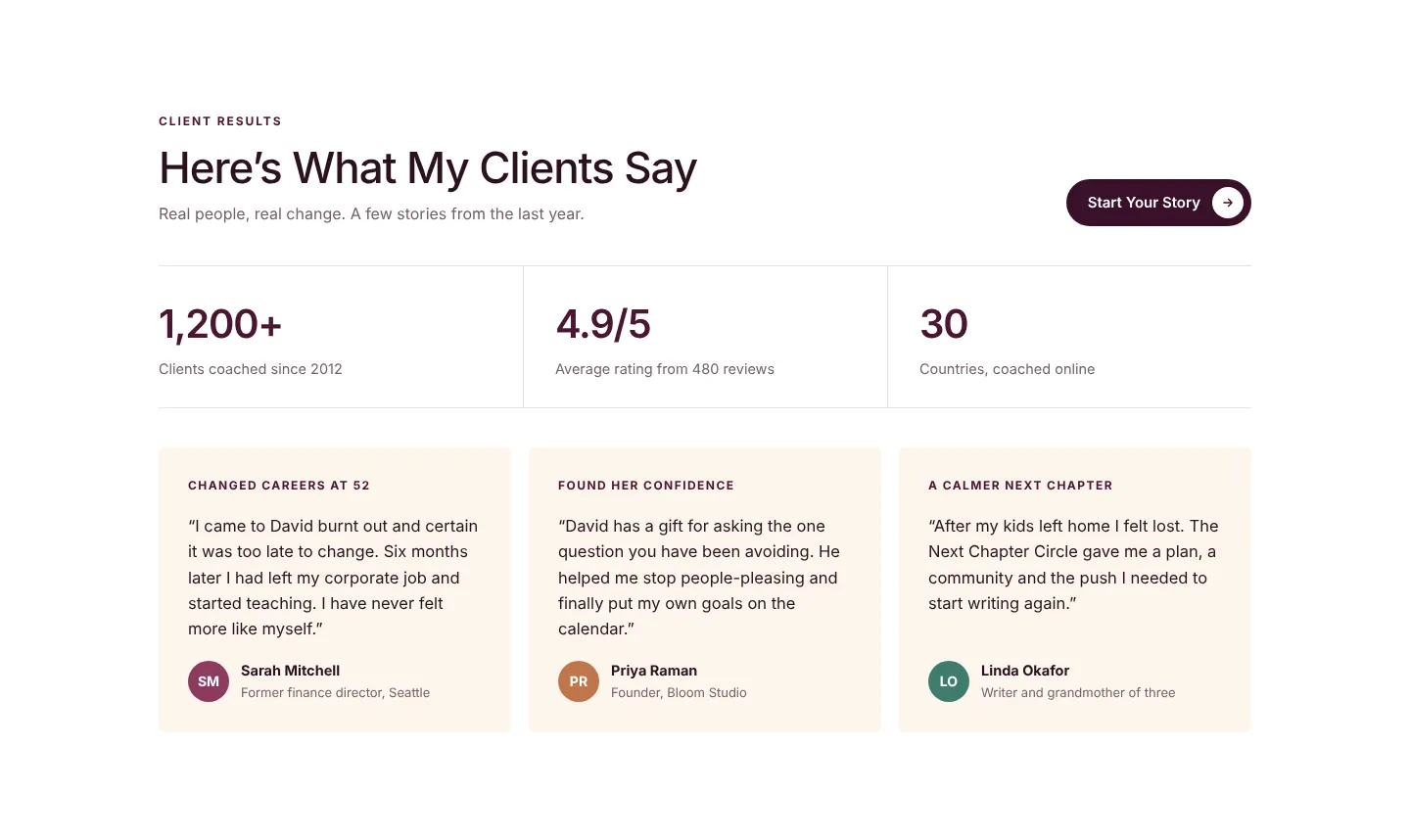
Example: the Coach template puts three numbers above three named testimonials, each with a short label like "Changed careers at 52."
The easiest way to collect results is a short survey 30 days after each program. Our guide on how to ask for testimonials shows what to send right after a session, when people are happiest to help.
7. A short bio and credentials
Buyers want to know you're qualified, but they don't need your life story. Keep the bio to three to five sentences: your relevant experience, who you help now, and what makes your sessions different. Then list credentials that matter to buyers.
| Weak | Strong |
|---|---|
| "Ever since I was young, I've been passionate about helping people reach their potential..." | "Amara spent twelve years running operations through three mergers before she started training managers. Today she helps HR and learning teams keep people focused and staying when everything changes." |
Credentials worth listing include professional certifications (coaching, psychometrics, facilitation), degrees relevant to your field, and memberships in professional bodies. Put them in a short list rather than a paragraph, so they're easy to scan.
8. A discovery call and booking form
Everything on your website should lead to one action: getting in touch. For corporate trainers, a free discovery call is the easiest first step for a buyer to say yes to.
A good booking form asks for:
- Name and work email
- Company
- Program they're interested in, with "Not sure yet" as an option
- Preferred dates or timeframe
- Number of participants
- A short message about the team and the challenge
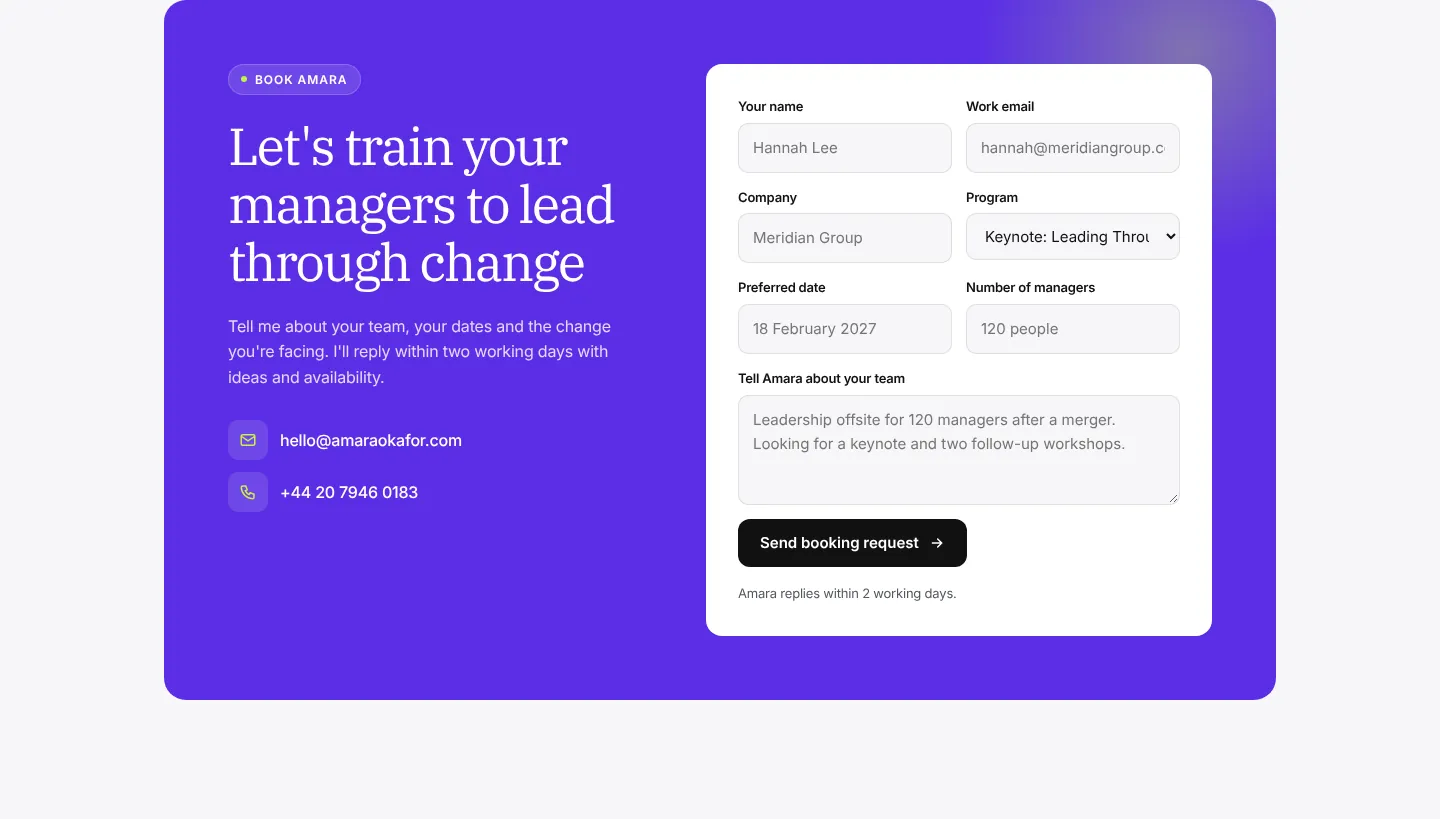
Example: the Trainer template's booking section, with a short promise, email and phone, and a form that asks only what the trainer needs to reply.
Say how quickly you reply ("within 2 working days"), and put a "Book a discovery call" button in your top menu so it's always one click away.
Nice-to-haves: elements that help you win bigger clients
9. An FAQ for procurement questions
Buyers close to booking have practical questions. Answering them on your site saves emails and makes you look organised. Good questions to cover:
- What happens before a session?
- Do you run in-person and virtual sessions?
- How many people can join a workshop?
- How do you measure impact?
- How far ahead should we book?
- Do you travel, and how do travel costs work?
- How do your fees work?
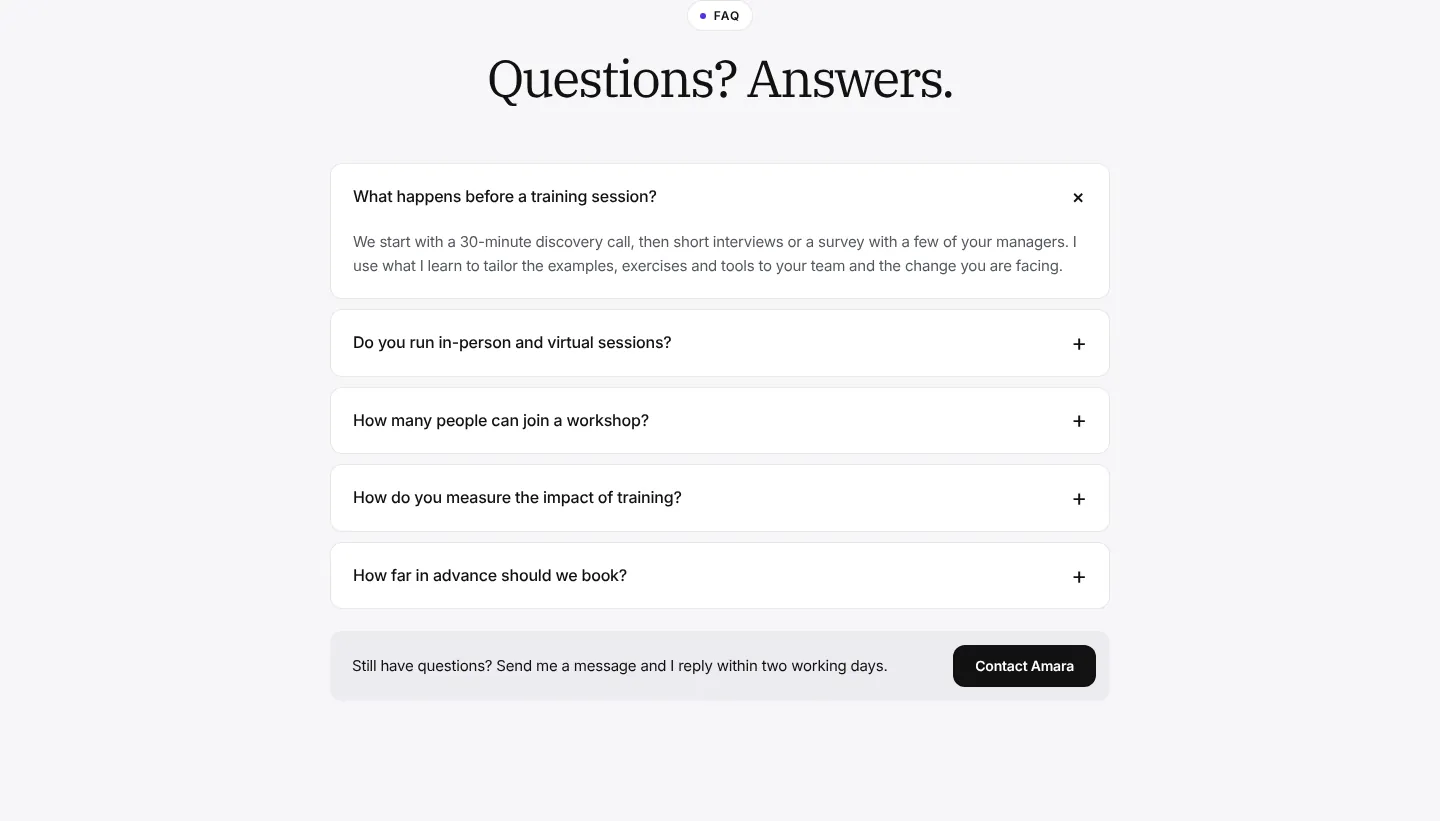
Example: the Trainer template's FAQ answers five common buyer questions, with a contact button underneath.
10. Upcoming public workshops
If you run open workshops, webinars or conference sessions, list the next few dates. It shows you're active, gives individuals a way to try you before their company books you, and fills seats.
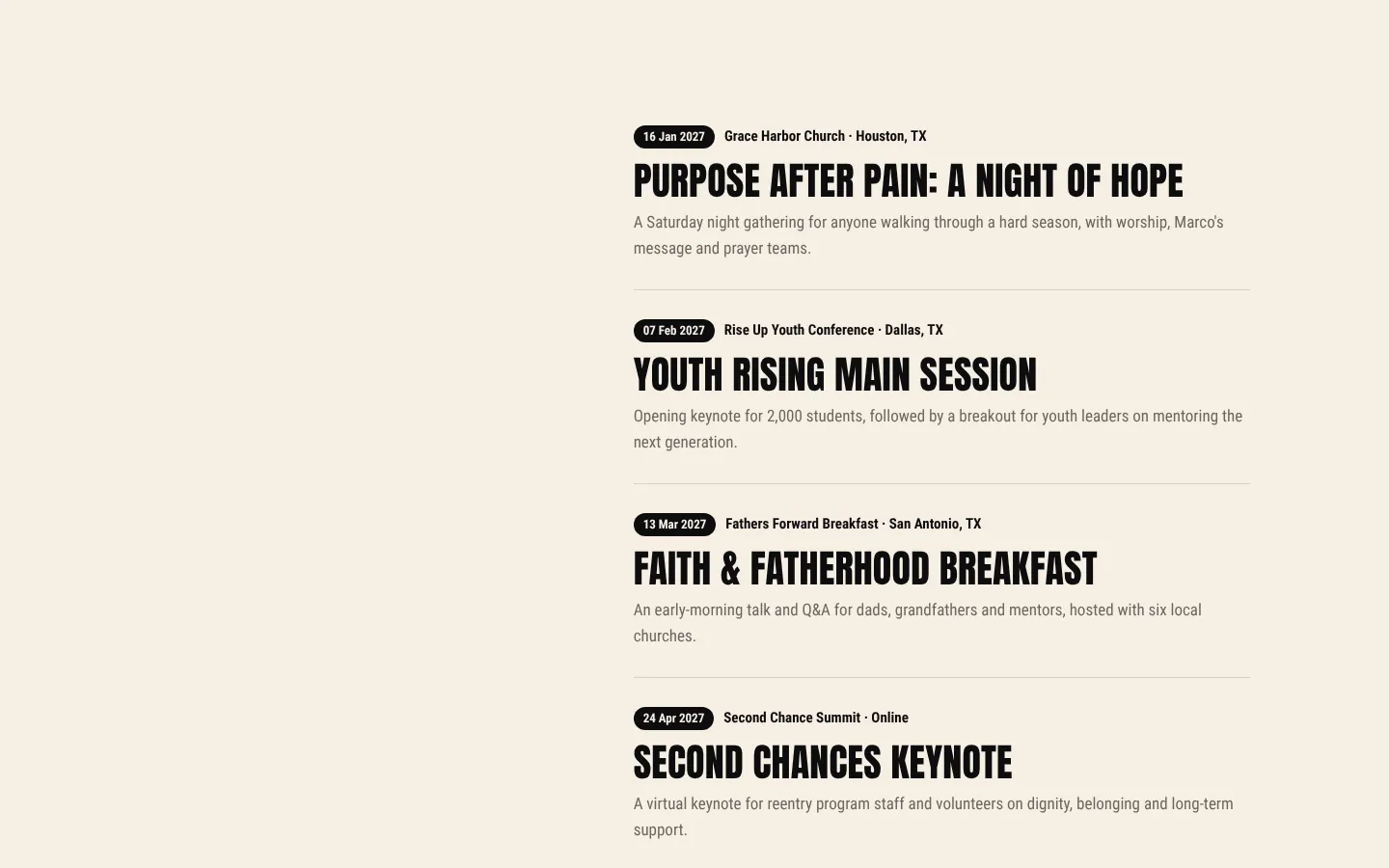
Example: the Spotlight template's events list, with dates, venues, cities and what each session covers. The same layout works for public workshops.
Keep it up to date. A list of events from last year does more harm than no list.
11. A free resource
A short, useful download, like a checklist for new managers or a one-page guide to running change conversations, does three things. It gives buyers something to forward internally, it shows how you think, and it lets you follow up with people who aren't ready to book yet.
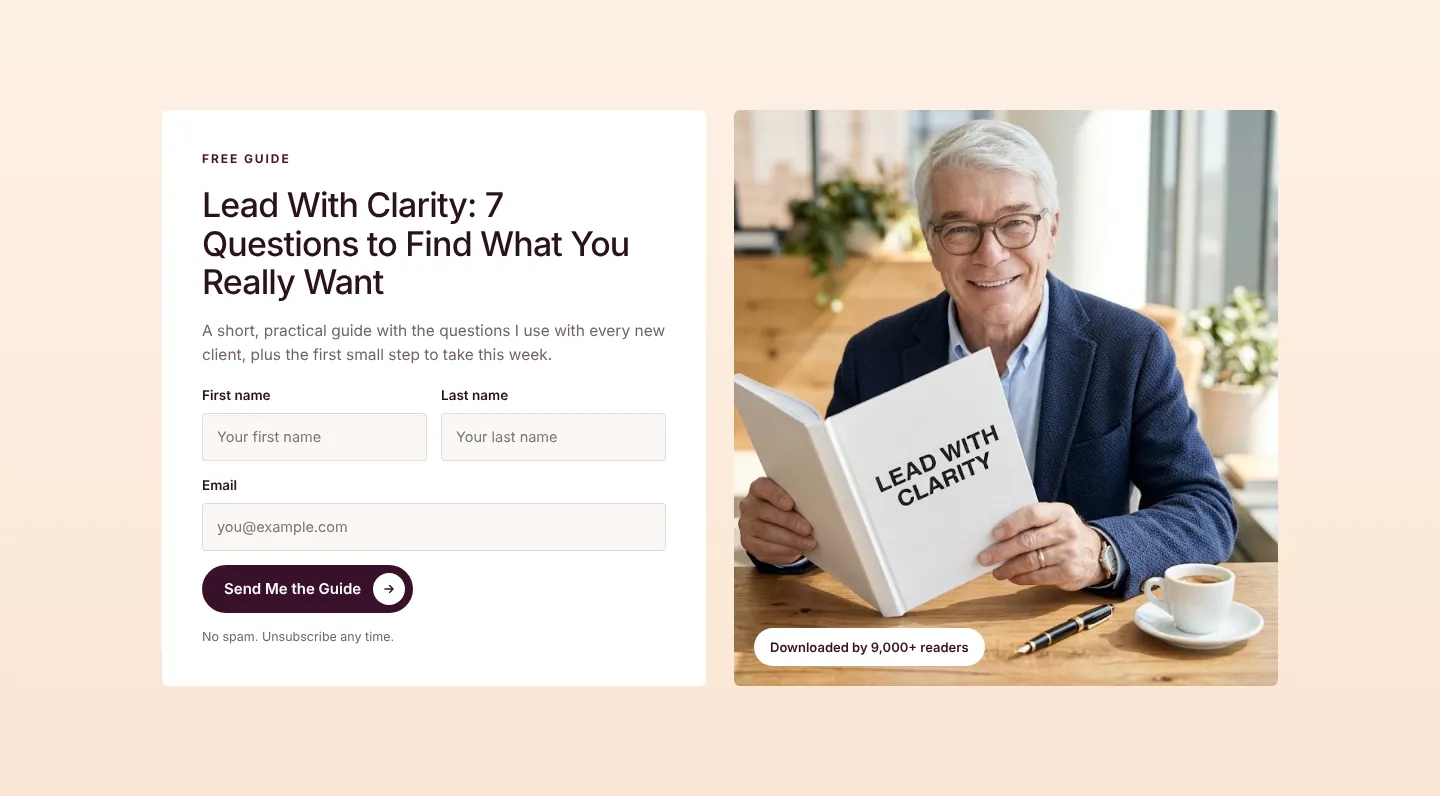
Example: the Coach template offers a free guide, "Lead With Clarity: 7 Questions to Find What You Really Want," with a simple name and email form.
If you'd rather not build an email list, a downloadable program summary works too. Our guide on how to create a speaker one-sheet shows how to make one page that buyers can share.
12. Video of you training
Buyers want to know what you're like in a room. Even a two-minute clip of you running a session, with real participants (and their permission), does more than any paragraph. Put it near the top or right after your programs, and label it with where it was filmed.
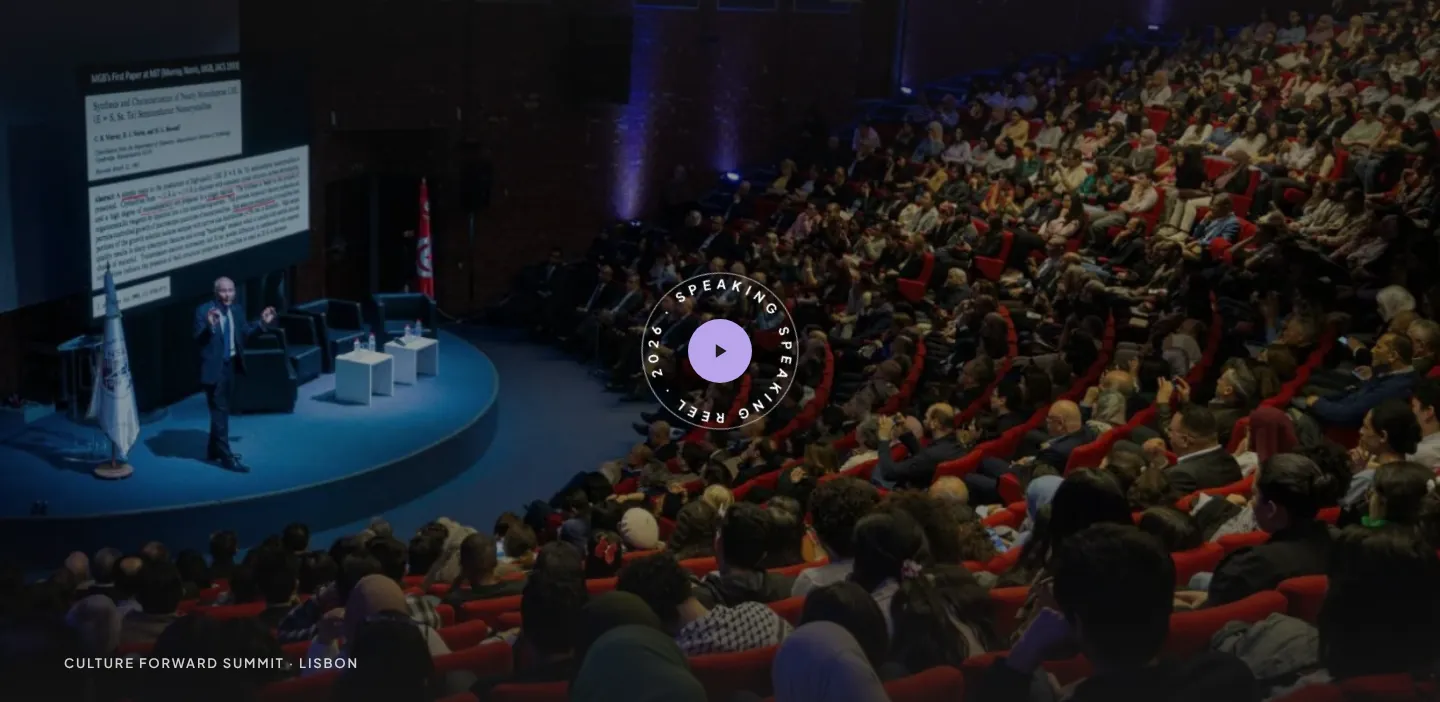
Example: the Studio template shows a full-width video with a clear play button and the event name.
The technical basics buyers notice without thinking about it
Content wins clients, but a few technical details can quietly lose them:
| Basic | Why it matters |
|---|---|
| Works well on a phone | Many buyers first look you up between meetings, on their phone |
| Loads in a couple of seconds | Slow sites get closed before they finish loading |
| A clear page title and description | Helps you show up when buyers search for the training they need |
| Your own domain or a clean address | Looks professional in proposals and email signatures |
| Contact details on every screen | Buyers shouldn't have to hunt for a way to reach you |
| Up-to-date content | Old programs and broken links suggest you're not busy |
Free template or custom design: which do you need?
Every screenshot in this article comes from a free Speakerfolio template. For many independent trainers, a one-page template site covers everything on the checklist. But as your training business grows, you may want more.
| Free Speakerfolio website | Speakerfolio Premium custom design | |
|---|---|---|
| Design | One of six ready templates, filled with your content | A custom design in your brand colours, fonts and style |
| Address | yourname.speakerfolio.com | Your own domain, connected for you |
| Pages | One page with all the key sections | As many pages as you need: a page per program, case studies, resources, articles |
| Written for you | Yes, from your LinkedIn profile | Yes |
| Hosting and updates | Included | Included |
| Old links | — | Your speakerfolio.com address redirects to your new domain |
| Cost | Free | $100 a year |
When a free template is enough
- You're an independent trainer with three or four core programs
- You mostly work through referrals and want a clean page to send people to
- You want to launch this week, not next quarter
When a custom design makes sense
- You want your website to match your existing brand, workbooks and slides
- You have several programs that each deserve their own page
- You sell to large organisations where procurement teams look closely at how established you are
- You want room for case studies, articles, resources or a client login later
- You want your own domain on proposals and email signatures
With Speakerfolio Premium, we design and build the custom site for you, connect your domain, and keep it hosted and updated, for $100 a year. You can start on the free plan and move to Premium at any time. Your old speakerfolio.com link redirects to your new domain, so nothing you've shared stops working. See Speakerfolio pricing for what's included in each plan.
Common mistakes on corporate trainer websites
- Talking about yourself more than the buyer's team. Count the "I"s and the "you"s.
- Programs with no format, length or outcomes. A topic list isn't a program.
- Anonymous proof. Testimonials without names look made up.
- No clear next step. "Contact me" is weaker than "Book a 30-minute discovery call."
- Too many programs. Twelve options often means a buyer picks none.
- Stock photos only. Show yourself with real groups.
- Out-of-date details. Old dates, past programs, broken booking links.
Get your corporate trainer website from Speakerfolio
Speakerfolio builds websites for trainers and speakers, written and designed for you.
- Free website: any of our six speaker website templates, including the Trainer template, on yourname.speakerfolio.com, usually within two working days. It includes a profile in the Speakerfolio speaker directory.
- Premium ($100 a year): a custom design on your own domain, with as many pages as you need, hosting and updates included.
- No commission: enquiries and bookings go straight to your inbox.
Send your LinkedIn profile and we'll write and build your site, or tell us you'd like a custom design on your own domain.
Frequently asked questions
What should a corporate trainer website include?
A headline naming who you train and what changes, programs with format, length and outcomes, industries and client names, your method, case studies, results and named testimonials, a short bio with credentials, and a discovery call booking form. An FAQ, public workshop dates, a free resource and video help too.
How many pages does a corporate trainer website need?
Many independent trainers do well with one well-structured page. A larger training business may want separate pages for each program, case studies and articles, which a custom design makes easy.
Should corporate trainers show prices on their website?
It's optional. Fixed-format offers like open workshops or coaching packages often show "from" prices. Tailored in-house programs usually explain how fees work instead.
What's the best example of a corporate trainer website layout?
A strong layout follows the buyer's questions in order: headline, programs, clients, method, case studies, results, bio, FAQ and booking. Speakerfolio's free Trainer template follows this structure, and you can preview it live.
Can I get a custom-designed trainer website?
Yes. Speakerfolio Premium includes a custom design on your own domain, with as many pages as you need, hosting and updates, for $100 a year.
How do I get testimonials for my training website?
Ask right after a session while people are enthusiastic, make it easy with two or three short questions, and ask for permission to use their name, role and organisation. A 30-day follow-up survey also gives you results to quote.
How long does it take to build a corporate trainer website?
With your content ready, a one-page site can go live in days. Speakerfolio builds the free version from your LinkedIn profile, usually within two working days. A custom design takes longer, depending on the number of pages.
Use the checklist, then build
A corporate trainer website that wins clients isn't about clever design. It answers a buyer's questions in the order they ask them: who you train, what you offer, how you work, who you've helped, what changed and how to start. Run your current site through the 12-point checklist above, fix the gaps, and make booking a call easy. When you're ready, get your free speaker website from Speakerfolio, or ask us about a custom design on your own domain.

Saleh is a UI/UX and web designer with more than five years of experience and the founder of Speakerfolio, where he builds websites that help speakers get booked. He specialises in conversion-focused design and on-page SEO.
Connect on LinkedInRelated articles
All articles